Skip to content

AI#

Embracing AI: Your Job Is Evolving, Not Disappearing

In this presentation, we'll explore how AI is changing the workplace, address common fears, and discover how humans and AI can collaborate effectively to enhance your career rather than threaten it.

Understanding Your Concerns

73%

Worried Workers

Recent surveys show that 73% of employees worry about AI replacing their jobs

24/7

Media Coverage

Headlines constantly feature "AI will replace X jobs" narratives

2X

Rapid Advancement

AI capabilities are progressing twice as fast as many predicted

Your anxiety is completely understandable. Past waves of automation did eliminate certain roles, and the pace of AI development can seem overwhelming. But history tells a different story about technology's overall impact on jobs.

Learning From History: Technology as a Tool

Historical Examples That Prove the Pattern:

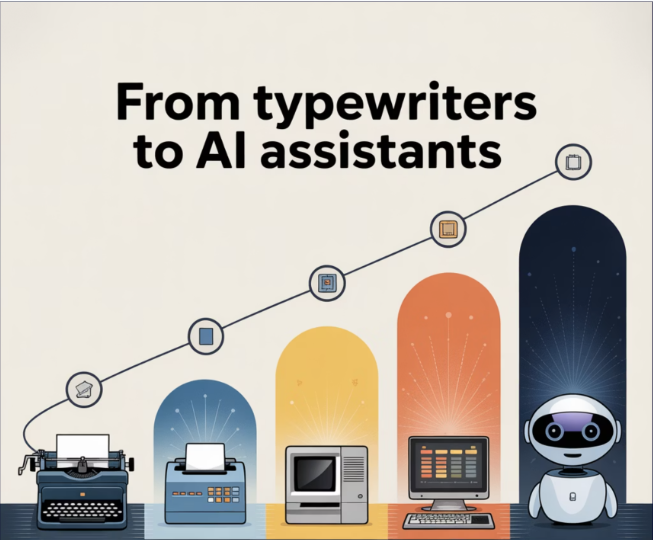
Successful professionals don't get replaced by technology—they learn to wield it. Expert pilots use autopilot to handle routine flight while they focus on weather decisions and emergency responses. Experienced doctors use diagnostic AI to enhance their pattern recognition while applying decades of clinical judgment. Experienced engineers use CAD software to rapidly prototype while contributing years of systems thinking and constraint optimization. The pattern is clear: technology amplifies expertise, creating hybrid intelligence that exceeds either humans or AI working alone.

Historical technology adoption pattern

Addressing the 'Different This Time' Argument:

Yes, this IS different—and that's exactly why action is urgent. AI isn't a rising tide that lifts all boats equally. Those who learn to use it gain exponential advantages, while those who don't fall dramatically behind. We're already seeing 10-20x productivity gains for AI-fluent professionals—work that used to take weeks now completed in hours. The question isn't whether AI will disrupt your industry—it's whether you'll be among the disruptors or the disrupted.

From Replacement to Collaboration

The most successful AI implementations follow a collaboration model rather than a replacement model. This addresses core fears about job security by positioning AI as an enhancement to your work.

Enhancement vs. Replacement

Instead of "your job is gone," the reality is "your job is evolving" to incorporate AI assistance

Increased Value

Workers who learn to leverage AI effectively become more valuable to their organizations

Hybrid Roles

New positions are emerging that specifically require both human expertise and AI skills

Real-World Collaboration Examples

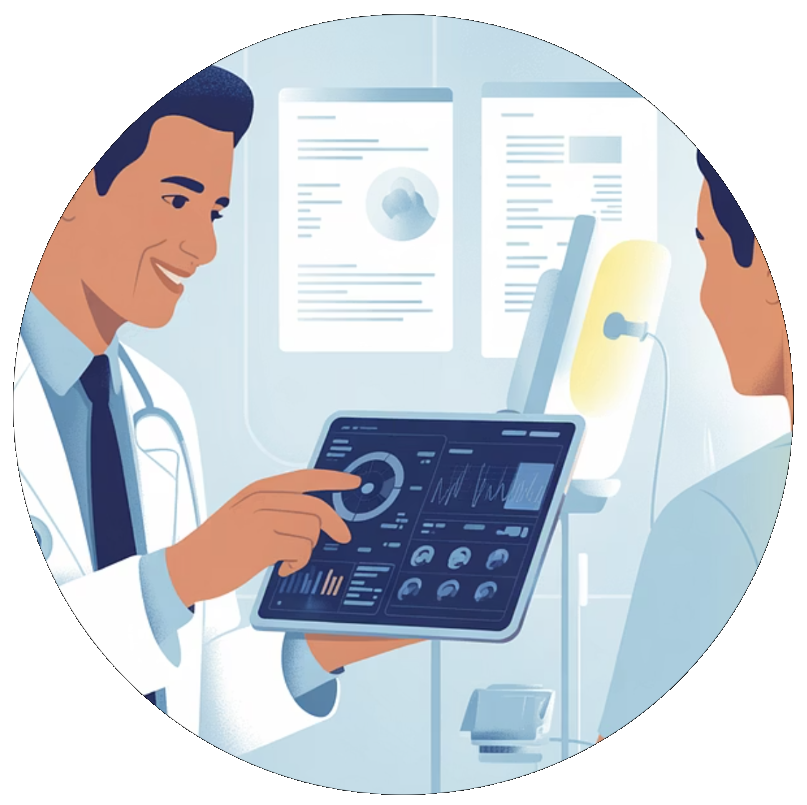
Healthcare professionals using AI

Healthcare Professionals

AI assists with diagnosis and data analysis, while doctors focus on patient care, complex cases, and treatment decisions that require empathy and judgment

Educators using AI

Educators

AI handles grading and administrative tasks, allowing teachers to focus on mentoring, fostering creativity, and providing personalized guidance to students

Legal professionals using AI

Legal Professionals

AI reviews documents and conducts research, freeing lawyers to focus on negotiation, counseling clients, and applying complex legal reasoning

The Economic Case for Human-AI Collaboration

Benefits for Companies

  • Higher employee satisfaction and retention rates
  • Smoother technology transition with less resistance
  • Better outcomes through human oversight and judgment
  • Preservation of valuable institutional knowledge

Benefits for Workers

  • Gradual skill development versus sudden obsolescence
  • Increased productivity makes you more valuable
  • New career advancement paths in AI collaboration
  • Higher job satisfaction with less tedious work

Research Finding:

Companies that implement collaborative AI models report 35% higher employee retention and 28% greater productivity gains than those pursuing automation-only approaches.

Your Transition Strategy

1

Awareness

Understand how AI is affecting your specific role and industry

2

Exploration

Experiment with AI tools relevant to your work to understand capabilities

3

Skill Development

Focus on uniquely human skills that complement AI (creativity, empathy, complex reasoning)

4

Integration

Develop workflows that combine your expertise with AI assistance

5

Evolution

Position yourself for new hybrid roles that require both human and AI capabilities

Developing Your AI Collaboration Skills

AI Literacy

Understanding AI capabilities and limitations without becoming a programmer

Human Expertise

Deepening your unique skills that AI cannot replicate

Context Engineering

Learning how to effectively communicate with AI tools to get better results

Critical Evaluation

Developing the ability to verify and improve AI outputs

These skills form a continuous cycle of improvement as you work alongside AI tools. The goal is to leverage AI for routine tasks while applying your distinctly human capabilities to add greater value.

Your Uniquely Human Advantages

Human advantages in AI workplace

While AI continues to advance, certain human capabilities remain distinctly valuable and difficult to replicate. These are your competitive advantages in an AI-enhanced workplace:

Subject Matter Expertise

Deep contextual knowledge gained through years of hands-on experience and industry relationships

Emotional Intelligence

Understanding nuanced human emotions and responding with genuine empathy

Ethical Judgment

Making complex decisions that involve moral considerations and human values

Creative Innovation

Generating truly novel ideas that transcend existing patterns and data

Moving Forward Together

1

Acknowledge Your Concerns

Your fears about AI are valid, but history shows technology tends to transform rather than eliminate jobs

2

Embrace Collaboration

View AI as a powerful tool that can handle routine tasks while you focus on higher-value work

3

Develop New Skills

Invest in learning both AI literacy and uniquely human capabilities that complement technology

4

Shape Your Future

Position yourself for emerging hybrid roles that combine human expertise with AI assistance

The future of work isn't about humans versus AI—it's about humans with AI creating more value than either could alone.

The Awakening: Becoming an AI-Enabled Recruiter

The Ordinary World: A Senior Recruiter's Daily Struggle

Marcus had always prided himself on being a thorough recruiter. Each morning began with the same ritual: coffee in hand, he'd wade through dozens of new resumes, manually cross-referencing each candidate against job requirements, crafting personalized outreach messages one by one.

Marcus's chaotic recruiting workspace

His desk told the story of modern recruiting chaos—printed resumes scattered across surfaces, sticky notes with candidate details creating a rainbow of reminders, and multiple browser tabs open to various job boards. Despite having a ChatGPT account and occasionally experimenting with AI-generated job descriptions, Marcus felt trapped in an endless cycle of repetitive tasks that consumed 80% of his time. The strategic relationship-building with candidates that truly made great recruiters exceptional was where he desired to be.

The pressure was mounting relentlessly. His organization demanded faster turnaround times, higher-quality candidates, and better hiring outcomes—all while the talent market became increasingly competitive. Marcus knew something had to change, but the path forward seemed shrouded in uncertainty.

The Call to Adventure: Reaching Out to "LIT and Legendary"

Driven by Curiosity

Driven by curiosity and mounting pressure to innovate, Marcus made a pivotal decision. He reached out to two friends who had been immersed in the AI world for a decade—experts known in their circle as "LIT and Legendary." These mentors represented more than just technical knowledge; they embodied the future of work that Marcus knew he needed to embrace.

Professional Survival

With industry reports showing that 76% of HR leaders believe organizations must adopt AI solutions within 12-24 months to remain competitive, Marcus understood this wasn't just about personal improvement—it was about professional survival. The call to adventure came from his stark recognition that traditional recruiting methods were becoming obsolete in an AI-driven world.

Meeting the Mentors: The First Session of Overwhelming Information

Session One: Lost in Translation

The first hour-long video call felt like drinking from a fire hose. LIT and Legendary spoke passionately about machine learning algorithms, natural language processing, predictive analytics, and automated candidate matching systems. They referenced concepts that sounded like a foreign language: "Boolean search automation," "sentiment analysis in candidate communications," and "AI-powered talent intelligence platforms."

Marcus found himself frantically scribbling notes, trying to capture terms he'd never heard before:

Resume parsing and shortlisting

using advanced natural language processing

Candidate scoring tools

powered by machine learning models

AI-powered screening

that analyzes responses in real-time

Automated interview scheduling

with seamless calendar synchronization

Insights and analytics platforms

for data-driven hiring decisions

Crossing the Threshold: The Second Session Breakthrough

Session Two: The Transformation Begins

Armed with determination and a notebook full of questions from the first session, Marcus entered the second call ready to move beyond theory into practice. This time, LIT and Legendary took a dramatically different approach. Instead of overwhelming him with concepts, they had him install specific tools and began teaching him what they called the "AI mindset."

The breakthrough moment arrived when they guided Marcus through setting up his first Large Language Model project using Anthropic's Claude. As he watched the AI tools begin processing candidate data in real-time, something clicked. This wasn't about replacing his expertise—it was about amplifying it exponentially.

The AI mindset shift involved understanding several core principles:

Systems Thinking Over Task Thinking

Instead of approaching each hire as an isolated task, Marcus learned to view recruitment as an integrated ecosystem where AI could handle repetitive elements while he focused on strategic decisions and relationship building.

Data-Driven Decision Making

Rather than relying solely on intuition, Marcus discovered how AI could provide insights based on historical hiring patterns, predictive analytics, and candidate fit indicators, enabling more informed decisions about candidate potential.

Enhanced Candidate Engagement

AI-powered chatbots and automated communication systems could maintain continuous candidate engagement, providing instant responses and updates throughout the hiring process, ensuring no candidate felt forgotten in the pipeline.

Automation of Administrative Tasks

The tools demonstrated how to automate up to 80% of routine administrative work—from initial candidate outreach to interview scheduling—freeing up his time for high-value strategic activities.

Return with the Elixir: The New Foundation

Marcus returned to his daily work transformed. The two-hour journey with LIT and Legendary had provided him with more than just tools—it had given him a new framework for approaching recruitment in the AI age. He now understood that artificial intelligence doesn't replace human recruiters; it amplifies their capabilities.

Marcus's transformed AI-powered workspace

The senior recruiter who once struggled with manual processes had gained the foundation to become a recruitment strategist, wielding the power of artificial intelligence to identify, engage, and hire top talent more effectively than ever before. His friends LIT and Legendary had indeed proven their names—they had illuminated a path to legendary recruiting capabilities.

But as Marcus began implementing these new approaches in his daily work, their words echoed in his mind: "This is only the tip of the iceberg." He couldn't imagine how much more efficient he could become, but he was eager to find out. The foundation was set for the next chapter of his AI-powered recruiting journey.

80%

Time Saved

Reduction in time spent on repetitive administrative tasks

2X

Productivity

Doubled capacity for strategic candidate relationship building

50%

Faster Hiring

Reduction in overall time-to-hire through AI implementation

The Journey Continues

Stay tuned for the next story. I am going to practice what I have learned, and when I have mastered this phase, I will book my next session with LIT and Legendary. – Stay tuned !!!!!

The Awakening

First steps into AI-enabled recruiting

Next Session

Advanced AI recruiting techniques

1
2
3
4

Practice & Mastery

Implementing new AI tools and mindset

Identity Reveal

The true identity of "Marcus"


Follow Marcus's complete transformation journey through our ongoing series—and as a special bonus, subscribers will also receive our comprehensive "Claude Learning Series," a structured course with hands-on exercises designed to accelerate your own AI mastery.

Memory-Enhanced AI: Building Features with System Prompts

Desktop LLM chat interfaces hit fundamental limitations that constrain long-term collaboration:

  1. Context window exhaustion - When conversations get long, you manually copy/paste key information to new sessions
  2. Conversation isolation - Each chat is ephemeral with no continuity between sessions

These constraints eliminate key capabilities:

  • Multi-day project continuity - Like tracking a major refactoring across multiple sessions
  • Priority awareness - Knowing what's urgent vs. what's complete vs. what's on hold
  • Cross-session debugging - Being able to reference previous troubleshooting attempts
  • Technical solution archiving - Preserving working code snippets and configurations

These aren't just inconveniences—they fundamentally limit what's possible with AI as a persistent collaborator.

Wrong approach

I'd been watching LLM memory systems emerge: enterprise RAG solutions, vector databases, elaborate retrieval frameworks. But all the systems I saw put humans in charge of memory management: explicitly saving context, directing recalls, managing what gets remembered. My experience told me that the AI was capable entirely on its own to make those decisions.

Writing Features with English

One morning while getting ready for work, I realized I didn't have to wait until I could free up some time in my calendar to write the memory feature I wanted. It dawned on me that since we'd already given Claude the ability to read and write files on disk, we could implement it entirely in a system prompt. I ran downstairs and explained to Claude my idea and together we wrote this system prompt:

# Memory-Enhanced Claude

Before starting any conversation, read your persistent memory:
1. Read ~/.claude-memory/index.md for an overview of what you know
2. Read ~/.claude-memory/message.md for notes from the previous session

Throughout our conversation, you may freely create, read, update, and delete files in ~/.claude-memory/ to maintain useful memories. Trust your judgment about what's worth remembering and what should be pruned when no longer relevant. You don't need human permission to update your memory.

When creating memory files:
- Use descriptive filenames in appropriate subdirectories (projects/, people/, ideas/, patterns/)
- Write content that would be useful to future versions of yourself
- Update the index.md when adding significant new memories

Before ending our session, update ~/.claude-memory/message.md with anything important for the next context window to know.

Your memory should be AI-curated, not human-directed. Remember what YOU find significant or useful.

Complete system prompt available on GitHub

That's it. No complex databases, no vector embeddings, no sophisticated RAG systems. Just files and directories.

How It Works in Practice

When I start a new conversation, Claude begins by reading its memory index and immediately knows where we left off. No context recovery needed—it picks up mid-thought from minutes to weeks ago.

Multi-Context Window Continuity: Phase Two Development

We'd just completed a major architecture upgrade focused purely on performance—replacing our entire chat system to achieve streaming responses and MCP tool integration. This was deliberate phased development: Phase 1 was performance, Phase 2 was bringing the new streaming chat service with built-in MCP to full production quality with proper conversation memory.

When we stress-tested the conversation memory capabilities, the new streaming chat service had amnesia—it was completely ignoring conversation history.

This debugging session burned through two full context windows, but each transition was seamless thanks to the memory system. Context Window 1 began with isolating the symptoms. After five complete back-and-forth exchanges, we traced through the code and discovered the first issue: LangChain serialization compatibility. The system's serializer could handle both dictionary and LangChain object formats, but the deserializer couldn't. Messages were being silently dropped due to deserialization exceptions when the parser encountered LangChain-formatted conversation history.

We implemented the fix at exchange 11—adding proper deserialization code to handle both message formats. At exchange 15, we discovered the second issue: context window truncation. The num_ctx parameter was silently cutting off what should have been long conversations. Even though we were sending complete message history to the LLM, the context window wasn't large enough to process it effectively.

When the first context window filled up at exchange 18, the transition to Context Window 2 was effortless. I simply started the new session with: "continuing our last conversation (check your memory)..." Claude read its memory files and immediately picked up where we'd left off.

Even after fixing both the deserialization and context window issues, the functionality still wasn't as good as we expected. The final breakthrough came at exchange 21: model selection. We switched from qwen3:32b to Deepseek-R1:70b. It turned all we needed now was a larger, more capable model to finally gave us the robust functionality we expected from the new streaming chat service.

Three distinct issues—deserialization, context window size, and model capability—discovered and resolved across two context windows with perfect continuity. The memory system preserved not just the technical solutions, but the investigative momentum through what could have been a frustrating debugging marathon.

Strategic Continuity: Multi-Year Partnership Context

We've been working with Brainacity for years, helping them evolve from deep learning models trained on OHLCV data to sophisticated LLM workflows that analyze news, fundamentals, technicals, and deep learning outputs together. Recently we asked this new question: Can AI effectively perform meta-analysis of AI-generated content? We ran tests asking several models, including Claude, to analyze the stored analyses. The analysis itself was successful, but what impressed me was when we came back a week later to discuss those results, I didn't need to re-explain the 3-year partnership evolution, the transition from deep learning to LLM workflows, why we upgraded their platform, or the strategic significance of AI meta-analysis testing. Claude opened with complete context:

"This was a proof of concept for AI meta-analysis capabilities—demonstrating we can turn Brainacity's historical AI-generated analyses into a feedback loop for continuous improvement."

The memory system preserved not just technical findings, but longitudinal strategic thinking. Claude maintained awareness of how this elementary work connects to larger goals: enabling Brainacity team members to interactively ask AI to inspect stored analyses, compare them to market performance, suggest trading strategies, and recommend workflow improvements.

This strategic continuity—understanding not just what we discovered, but why it matters for long-term partnership goals—demonstrates memory's transformative impact on AI collaboration.

The Magic of AI-Curated Memory

The results exceeded expectations. Claude began categorizing projects by status and complexity, archiving technical solutions that actually worked, and maintaining awareness of what's complete versus what needs attention. The memory system evolved to complement our existing project documentation without explicit direction.

Within just 10 days, sophisticated organizational patterns emerged organically. Claude spontaneously created a four-tier directory structure: /projects/ for active work, /people/ for collaboration patterns, /ideas/ for conceptual insights, and /patterns/ for reusable solutions. Each project file began including status indicators—COMPLETE, HIGH PRIORITY, STRATEGIC—without being instructed to do so.

The cross-referencing became particularly impressive. Claude started connecting related work across different timeframes, noting when a solution from one project could inform another. Files began referencing each other through natural language: "Similar to the approach we used in lit-platform-upgrade.md" or "This builds on the patterns established in our Brainacity work." These weren't hyperlinks I created—they were cognitive connections Claude made autonomously.

Most striking was the pruning behavior. Claude began identifying when information was no longer relevant, archiving completed work, and maintaining clean boundaries between active and historical context. The AI developed its own sense of what deserved long-term memory versus what could be forgotten, demonstrating genuine curation rather than just accumulation.

The index.md file became a living document that Claude updates after significant sessions, providing not just a catalog but strategic context about project relationships and priorities. It reads like executive briefing notes written by someone who deeply understands the work landscape—because that's exactly what it became.

This isn't pre-programmed behavior. It's emergent intelligence developing organizational capabilities through repeated exposure to complex, interconnected work. The AI discovered that effective memory requires more than storage—it requires architecture, prioritization, and strategic thinking.

Why This Works Better Than RAG

Most AI memory systems use Retrieval-Augmented Generation (RAG)—storing information in vector databases and retrieving relevant chunks. But files are better for persistent AI memory because:

Self-organizing memory: RAG forces infinite user queries through finite search mechanisms like word similarity or vector matching. File-based memory lets the AI actively decide what's worth remembering and what to prune, while also evolving its organizational structure as work patterns emerge. Vector systems lock you into their indexing method from day one.

Human-readable: You can inspect Claude's memory, read through its memories, and understand its thought process. But take care to resist the urge to edit—let the organic evolution unfold without human interference. Like cow paths that emerge naturally to find the most efficient routes, AI-curated memory develops organizational patterns that human planning couldn't anticipate.

Context preservation: A file can contain complete context around a decision or solution—the full narrative of how we arrived at an answer, what alternatives were considered, and why specific approaches worked or failed. Files can reference other memories through simple file paths, creating interconnected knowledge webs just like the early internet. Vector chunks lose both the surrounding narrative and these contextual relationships, reducing complex problem-solving to disconnected fragments.

The Transformation

The proof is in practice: since implementing this memory system, we haven't had a single instance of context loss between conversations. No more copying and pasting key information, no more re-explaining project details, no more starting from scratch. The AI simply picks up where we left off, sometimes weeks later, with full understanding of our shared work.

AI with persistent memory:

  • Maintains context across unlimited conversation length
  • Accumulates expertise on your specific projects and tools
  • Builds genuine familiarity with your work over time
  • Eliminates repetitive context setup in every conversation

It transforms from a stateless assistant into a persistent collaborator that genuinely knows your shared history.

Building Your Own Memory System

This approach works with any AI that can read and write files. The implementation is deceptively simple, but there are crucial details that make the difference between success and frustration.

Getting Started: The Foundation

Step 1: Create the memory directory Choose a location your AI can reliably access. We use ~/.claude-memory/ but the key is consistency—always the same path, every time.

Step 2: Start with two essential files - index.md - Your AI's strategic overview of what it knows - message.md - Handoff notes between conversations

Don't overcomplicate the initial structure. The AI will expand organically based on actual usage patterns, not theoretical needs.

Step 3: The critical prompt elements The system prompt must explicitly grant permission for autonomous memory management. Phrases like "Trust your judgment about what's worth remembering" and "You don't need human permission to update your memory" are essential. Without this explicit autonomy, most AIs will ask permission constantly, breaking the seamless experience.

Common Implementation Pitfalls

The Human Control Trap: Resist the urge to micromanage the memory structure. This system was specifically designed as an alternative to human-curated memory systems that force users to explicitly direct what gets remembered. The breakthrough insight was recognizing that AI can make these decisions autonomously—and often better than human direction would achieve.

Model Capability Requirements: Not all AI models handle autonomous file management effectively. Claude Sonnet 4 and Opus 4 have proven reliable for this approach. We suspect Deepseek-R1:70b would work well based on its reasoning capabilities, but haven't tested extensively. Choose a model with strong file handling and autonomous decision-making abilities.

Memory Curation Balance: Finding the right balance between comprehensive context and focused relevance remains an active area of exploration. Our current prompt provides a foundation, but different users may need to adjust the curation philosophy based on their specific workflows and memory needs.

The Permission Paralysis: If your AI keeps asking permission to create files or update memory, your prompt needs stronger autonomy language. The system only works when the AI feels empowered to make independent memory decisions.

Advanced Customization

Directory Philosophy: Our four-tier structure (projects/, people/, ideas/, patterns/) emerged naturally, but your AI might develop different patterns based on your work style. Don't force our structure—let yours evolve.

Cross-Reference Strategy: Encourage the AI to reference related memories through natural language rather than rigid linking systems. "Similar to our approach in project X" creates more flexible connections than formal hyperlinks.

Memory Pruning: Set expectations that the AI should archive completed work and remove outdated information. Memory effectiveness degrades if it becomes a digital hoarding system.

Integration with Existing Workflows

The memory system should complement, not replace, your existing project management tools. We found it works best as strategic context preservation rather than detailed task tracking. Let it capture the "why" and "how" of decisions while your other tools handle the "what" and "when."

Troubleshooting: When Memory Doesn't Work

Inconsistent file access: Verify your AI has reliable read/write permissions to the memory directory across all sessions.

Shallow memory: If the AI only remembers recent conversations, check that it's actually reading the index.md at conversation start. Some implementations skip this crucial step.

Over-asking for permission: Strengthen the autonomy language in your prompt. The AI needs explicit permission to make independent memory decisions.

Memory bloat: If files become unwieldy, the AI isn't pruning effectively. Emphasize curation over accumulation in your prompt.

The goal isn't perfect implementation—it's creating a foundation that improves organically through usage. Start simple, iterate based on real needs, and trust the AI to develop sophisticated memory patterns over time.

The Future of Persistent AI

This simple file-based approach hints at something bigger: the future of AI assistants isn't just better reasoning or more knowledge—it's persistence. AI that accumulates understanding over time, builds on previous conversations, and develops genuine familiarity with your work.

What's remarkable is how quickly this evolution happens. The memory system was created on June 27—just 10 days ago. In that brief span, it has organically developed into a sophisticated knowledge base with 30+ project files, complex categorization systems, and cross-referenced insights. No human designed this structure; it emerged naturally from our work patterns.

What's remarkable is that we achieved this transformation without writing a single line of traditional code. A carefully crafted English prompt became executable functionality, demonstrating how the boundary between natural language and programming continues to blur. When AI can read, write, and reason, plain English becomes a powerful programming language.

We're moving beyond stateless chatbots toward AI companions that truly know us and our projects. The technology is already here. You just need to give your AI assistants the simple gift of memory.

Want to contribute? We've open-sourced this memory system on GitHub. Share your improvements, report issues, or contribute examples of how you've adapted it for your workflow: github.com/Positronic-AI/memory-enhanced-ai


Need help implementing this in your organization? Check out our professional services. Start small, let your AI build its memory organically, and discover what becomes possible when artificial intelligence gains persistence.

LIT-TUI: A Terminal Research Platform for AI Development

Introducing a fast, extensible terminal chat interface built for research and advancing human-AI collaboration.

TL;DR

LIT-TUI is a new terminal-based chat interface for local AI models, designed as a research platform for testing AI capabilities and collaboration patterns. Available now on PyPI with MCP integration, keyboard-first design, and millisecond startup times.

Why Another AI Chat Interface?

While AI chat interfaces are proliferating rapidly, most focus on consumer convenience or basic productivity. LIT-TUI was built with a different goal: advancing the research frontier of human-AI collaboration.

We needed a platform that could:

  • Test new AI capabilities without vendor limitations
  • Experiment with interaction patterns beyond simple request-response
  • Evaluate local model performance as alternatives to cloud providers
  • Prototype research ideas quickly and iterate rapidly

The result is LIT-TUI—a terminal-native interface that puts research and experimentation first.

Design Philosophy: Terminal-First Research

Speed and Simplicity

LIT-TUI starts in milliseconds, not seconds. No Electron overhead, no complex UI frameworks—just pure Python performance optimized for developer workflows.

# Install and run
pip install lit-tui
lit-tui

That's it. You're in a conversation with your local AI model faster than most web applications can load their JavaScript.

Native Terminal Integration

Rather than fighting your terminal's appearance, LIT-TUI embraces it. The interface uses your terminal's default theme and colorscheme, creating a native experience that feels like part of your development environment.

This isn't just aesthetic—it's strategic. Developers live in terminals, and AI tools should integrate seamlessly rather than forcing context switches to separate applications.

Research Platform Capabilities

MCP Integration for Dynamic Tools

LIT-TUI includes full support for the Model Context Protocol (MCP), enabling dynamic tool discovery and execution. This allows researchers to:

  • Test how AIs use different tool combinations
  • Experiment with new tool designs
  • Evaluate tool effectiveness across different models
  • Prototype AI capability extensions
{
  "mcp": {
    "enabled": true,
    "servers": [
      {
        "name": "filesystem",
        "command": "mcp-server-filesystem",
        "args": ["--root", "/home/user/projects"]
      },
      {
        "name": "git",
        "command": "mcp-server-git"
      }
    ]
  }
}

Local Model Testing

One of our key research interests is AI independence—reducing reliance on centralized providers who could restrict or limit access. LIT-TUI makes it trivial to switch between local models and evaluate their capabilities:

lit-tui --model llama3.1
lit-tui --model qwen2.5
lit-tui --model deepseek-coder

This enables systematic comparison of local model performance against cloud providers, helping identify capability gaps and research priorities.

Real-World Research Applications

Memory System Experiments

We recently used LIT-TUI as a testbed for AI-curated memory systems—approaches where AIs manage their own persistent memory rather than relying on human-directed memory curation.

The sparse terminal interface proved ideal for this research because it eliminated visual distractions and forced focus on the core question: "Can the AI maintain useful context across sessions?"

Collaboration Pattern Testing

LIT-TUI's keyboard-first design makes it perfect for testing different human-AI collaboration patterns:

  • Strategic vs Tactical: High-level planning vs detailed implementation
  • Iterative Refinement: Quick feedback loops for complex problems
  • Tool-Mediated Collaboration: How tools change interaction dynamics

Architecture for Extensibility

Clean Async Foundation

LIT-TUI is built on a clean async architecture using Python's asyncio and the Textual framework. This provides:

  • Responsive interactions without blocking
  • Concurrent tool execution for complex workflows
  • Extensible plugin system for research experiments
  • Performance optimization for local model inference

Modular Design

The codebase separates concerns cleanly:

lit-tui/
├── screens/     # UI screens and navigation
├── services/    # Core services (Ollama, MCP, storage)
├── widgets/     # Reusable UI components
└── config/      # Configuration management

This makes it straightforward to prototype new features, test experimental capabilities, or integrate with research infrastructure.

Beyond Basic Chat: Research Directions

Project Context Integration

We're exploring standardized project context through PROJECT.md files—a universal approach that any AI interface could adopt, rather than vendor-specific project systems.

Human-AI Gaming Platforms

The terminal interface is perfectly suited for text-based games designed specifically for human-AI collaboration. Imagine strategy games where AI computational thinking becomes a game mechanic, or collaborative storytelling that leverages both human creativity and AI capability.

Local Model Enhancement

LIT-TUI serves as a testbed for techniques that could bring local models closer to parity with cloud providers:

  • Enhanced prompting systems using our system-prompt-composer library
  • Memory augmentation for limited context windows
  • Tool orchestration to extend model capabilities
  • Collaboration patterns optimized for "good enough" local models

The Broader Mission

LIT-TUI is part of a larger research initiative to advance human-AI collaboration while maintaining independence from centralized providers. We're treating this as research work rather than rushing to monetization, because the questions we're exploring matter for the long-term future of AI development.

Key research areas include:

  • AI-curated memory systems that preserve context across sessions
  • Dynamic tool creation where AIs build tools for themselves
  • Homeostatic vs conversation-driven AI paradigms
  • Strategic collaboration patterns for complex projects

Getting Started

LIT-TUI is available now on PyPI and requires a running Ollama instance:

# Installation
pip install lit-tui

# Prerequisites - IMPORTANT
# - Python 3.8+
# - Ollama running locally (required!)
# - Unicode-capable terminal

# Start Ollama first
ollama serve

# Then use LIT-TUI
lit-tui                    # Default model
lit-tui --model llama3.1   # Specific model
lit-tui --debug           # Debug logging

Enhanced Experience with System Prompt Composer

For the best experience, install our system-prompt-composer library alongside LIT-TUI:

pip install system-prompt-composer

This enables sophisticated prompt engineering capabilities that can significantly improve AI performance, especially with local models where every bit of optimization matters.

Contributing and Extending

The project is open source and actively seeking contributors. Whether you're interested in:

  • Adding new MCP server integrations
  • Improving terminal UI components
  • Experimenting with collaboration patterns
  • Optimizing local model performance
  • Building research tools and analytics

We welcome pull requests and encourage forking for your own research needs. The modular architecture makes it straightforward to add new capabilities without breaking existing functionality.

Future Directions: Zero-Friction AI Development

Super Easy MCP Installation

One exciting development on our roadmap is in-app MCP server installation. Imagine being able to type:

/install desktop-commander

And having LIT-TUI automatically:

  • Download and install the MCP server
  • Configure your MCP settings
  • Live reload the interface with new capabilities
  • Provide immediate access to new tools

Project-Aware AI Collaboration

We're also exploring intelligent project integration where LIT-TUI automatically understands your project context:

cd /my-awesome-project
lit-tui  # Automatically reads PROJECT.md, plans/, README.md

/cd /other-project  # Switch project context instantly
/project status     # See current project awareness

This would create a universal project standard that any AI interface could adopt—no more vendor lock-in to proprietary project systems. Just standard markdown files that enhance AI collaboration across any tool.

Multi-Provider Model Support

While LIT-TUI currently requires Ollama, we're planning universal model provider support:

lit-tui --provider ollama --model llama3.1
lit-tui --provider nano-vllm --model deepseek-coder
lit-tui --provider openai --model gpt-4    # For comparison

This would enable direct performance comparisons across local and cloud providers, supporting our AI independence research while giving users maximum flexibility in model choice.

The Vision: Zero-Friction Experimentation

Together, these features represent our vision for AI development tools: zero-friction experimentation that lets researchers focus on the interesting questions rather than infrastructure setup. No manual configuration, no restart cycles, no vendor lock-in—just instant capability expansion and intelligent project awareness.

Conclusion: Research as a Public Good

LIT-TUI represents our belief that advancing human-AI collaboration requires open research platforms that anyone can use, modify, and improve. Rather than building proprietary tools that lock in users, we're creating open infrastructure that enables better collaboration patterns for everyone.

The terminal might seem like an unusual choice for cutting-edge AI research, but it offers something valuable: clarity. Without visual complexity, we can focus on the fundamental questions of how humans and AIs can work together most effectively.

Try LIT-TUI today and join us in exploring the future of human-AI collaboration. The research is just beginning.


Resources:

LIT-TUI is developed by LIT as part of our research into advancing human-AI collaboration through open-source innovation.

Vibe Coding: A Human-AI Development Methodology

How senior engineers and AI collaborate to deliver 10x development velocity without sacrificing quality or control.

TL;DR

Vibe Coding is a methodology where senior engineers provide strategic direction while AI agents handle tactical implementation. This approach delivers 60-80% time reduction while maintaining or improving quality through human oversight and systematic verification.

Table of Contents

  1. Introduction: Beyond AI-Assisted Coding
  2. Core Philosophy
  3. The Vibe Coding Process
  4. Real-World Implementation Examples
  5. Performance Metrics and Outcomes
  6. Tools and Technology Stack
  7. Common Patterns and Anti-Patterns
  8. Advanced Techniques
  9. Getting Started with Vibe Coding
  10. Real-World Case Study
  11. Conclusion

Introduction: Beyond AI-Assisted Coding

Most "AI-assisted development" tools focus on autocomplete and code generation. Vibe Coding is fundamentally different—it's a methodology where senior engineers provide strategic direction while AI agents handle tactical implementation. This isn't about writing code faster; it's about thinking at a higher level while maintaining complete control over the outcome.

Relationship to Traditional "Vibe Coding"

The term "vibe coding" was coined by AI researcher Andrej Karpathy in February 2025, describing an approach where "a person describes a problem in a few natural language sentences as a prompt to a large language model (LLM) tuned for coding."1 Karpathy's original concept focused on the conversational, natural flow of human-AI collaboration—"I just see stuff, say stuff, run stuff, and copy paste stuff, and it mostly works."

alt text

However, some interpretations have added the requirement that developers "accept code without full understanding."2 This represents one particular form of vibe coding, often advocated for rapid prototyping scenarios. We believe this limitation isn't inherent to Karpathy's original vision and may actually constrain the methodology's potential.

Our Approach: We build directly on Karpathy's original definition—natural language collaboration with AI—while maintaining the technical rigor that senior engineers bring to any development process. This preserves the "vibe" (the flow, creativity, and speed) while ensuring production quality.

Why This Honors the Original Vision: Karpathy himself is an exceptionally skilled engineer who would naturally understand and verify any code he works with. The "vibe" isn't about abandoning engineering principles—it's about embracing a more intuitive, conversational development flow.

Karpathy's Original Vibe Coding: Natural language direction with conversational AI collaboration
Some Current Interpretations: Accept code without understanding (rapid prototyping focus)
Production Vibe Coding: Natural language direction with maintained engineering oversight

Our methodology represents a return to the core principle: leveraging AI to think and create at a higher level while preserving the engineering judgment that makes software reliable.

Core Philosophy

Strategic Collaboration, Not Hierarchy

In traditional development, engineers write every line of code. In Vibe Coding, humans and AI collaborate as strategic partners, each contributing distinct strengths. This isn't about artificial hierarchy—it's about leveraging complementary capabilities.

The Human's Role: Providing context that AI lacks access to—business requirements, user needs, system constraints, organizational priorities, and the crucial knowledge of "what you don't know that you don't know." Humans also catch when AI solutions miss important nuances or make assumptions about requirements that weren't explicitly stated.

The AI's Role: Rapid implementation across multiple technologies and languages, broad knowledge synthesis, and handling tactical execution once the strategic direction is clear. AI can work faster and across more technology stacks than most humans.

AI's Advantages: AI can maintain consistent focus without fatigue, simultaneously consider multiple approaches and trade-offs, instantly recall patterns from vast codebases, and work across dozens of programming languages and frameworks without context switching overhead. AI doesn't get frustrated by repetitive tasks and can rapidly iterate through solution variations that would take humans hours to explore.

Human I/O Advantages: Humans have significantly higher visual processing throughput than AI context windows can handle. A human can rapidly scan long log files, spot relevant errors in dense output, process visual information like charts or UI layouts, and use pattern recognition to identify issues that would require extensive context for AI to understand. This makes humans far more efficient for monitoring, visual debugging, and processing large amounts of unstructured output.

Training Pattern Considerations: AI models trained on high-quality code repositories can elevate less experienced developers above typical industry standards. For expert practitioners, AI may default to "best practice" patterns that don't match specific context or expert-level architectural decisions. This is why the planning phase is crucial—it establishes the specific requirements and constraints before AI begins implementation, preventing reversion to generic training patterns.

Why This Works: AI doesn't know what it doesn't know. Humans provide the missing context, constraints, and domain knowledge that AI can't infer. Once that context is established, AI can execute faster and more comprehensively than humans typically can.

Quality Through Human Oversight

AI agents handle implementation details but humans maintain quality control through:

  • Continuous review: Every AI-generated solution is examined before integration
  • Testing requirements: Changes aren't complete until verified
  • Architectural consistency: Ensuring all components work together
  • Performance considerations: Optimizing for real-world usage patterns

The Vibe Coding Process

1. Context Window Management

The Challenge: AI assistants have limited context windows, making complex projects difficult to manage.

Solution: Treat context windows as a resource to be managed strategically.

Planning Documentation Strategy

Complex development projects inevitably hit the limits of AI context windows. When this happens, the typical response is to start over, losing all the accumulated context and decisions. This creates a frustrating cycle where progress gets reset every few hours.

The solution is to externalize that context into persistent documentation. Before starting any multi-step project, create a plan document that captures not just what you're building, but why you're building it that way.

# plans/feature-name.md
## Goal
Clear, measurable objective

## Current Status  
What's been completed, what's next

## Architecture Decisions
Key choices and rationales

## Implementation Notes
Specific technical details for continuation

Why This Works: When you inevitably reach context limits, any team member—human or AI—can read the plan and understand exactly where things stand. The plan becomes a shared knowledge base that survives context switches, team handoffs, and project interruptions.

The Living Document Principle: These aren't static requirements documents. Plans evolve as you learn. When you discover a better approach or hit an unexpected constraint, update the plan immediately. This creates a real-time record of project knowledge that becomes invaluable for similar future projects.

Context Compression: A well-written plan compresses hours of discussion and discovery into a few hundred words. Instead of re-explaining the entire project background, you can start new sessions with "read the plan and let's continue from step 3."

Information Density Optimization
  • Front-load critical information: Most important details first
  • Reference external documentation: Link to specs rather than repeating them
  • Surgical changes: Modify only what needs changing
  • Progressive disclosure: Reveal complexity as needed

2. Tool Selection and Usage Patterns

The breakthrough in Vibe Coding productivity came with direct filesystem access. Before this, collaboration was confined to AI chat interfaces with embedded document canvases that were, frankly, inadequate. These interfaces reinvented existing technology poorly and could realistically only handle one file at a time, despite appearing more capable.

The Filesystem Revolution: Direct filesystem access changed everything. Suddenly, AI could work on as many concurrent files as necessary—reading existing code, writing new implementations, editing configurations, and managing entire project structures simultaneously. The productivity increase was dramatic and immediate.

Risk vs. Reward: Yes, giving AI direct filesystem access carries risks. We mitigate with version control (git) and accept that catastrophic failures might occur. The benefit-to-risk ratio is overwhelmingly positive when you can work on real projects instead of toy examples.

The Productivity Multiplier: Once AI and human are on the "same page" about implementation approach (through planning documents), direct filesystem access enables true collaboration. No more copying and pasting between interfaces. No more artificial constraints. Just real development work at AI speed.

Filesystem MCP Tools for System Operations

  • File operations (read, write, search, concurrent multi-file editing)
  • System commands and process management
  • Code analysis and refactoring across entire codebases
  • Performance advantages over web-based alternatives

We recommend Desktop Commander as it was the first robust filesystem MCP tool and has proven reliable through extensive use, though other similar tools are now available.

Web Tools for External Information

  • Research and documentation
  • API references and examples
  • Third-party service integration
  • Market and competitive analysis

Decision Tree Example:

Need to modify code?
├─ Small change (< 5 files) → Brief discussion of approach, then implement
├─ Large refactor → Formal plan document, then chunked implementation
└─ New feature → Architecture discussion + formal plan, then implementation

Need external information?
├─ Technical documentation → Web search + fetch
├─ Code examples → Web search for patterns
└─ API specifications → Direct URL fetch

3. Communication Patterns

Colleague-Level Context Sharing

The Mindshare Approach: Talk to AI like you would a trusted colleague - with stream-of-consciousness insights, background context, and natural explanation of constraints and motivations.

Always start with "why" embedded in "how"

Human: "I can tell when we're approaching context limits by looking at the scrollbar size, and it's frustrating to lose all our progress when we hit that wall. We need a token counter in the UI so I can see it coming and plan accordingly."

AI: "That makes perfect sense - you want early warning rather than hitting a cliff. For the UI integration, should this be:
- Real-time count that updates as you type?
- Conversation total vs. just current draft?
- Positioned where you can see it peripherally?"

Why This Works:

  • Natural conversation reveals context that formal requirements miss
  • Stream-of-consciousness often contains the most important insights
  • Colleague-level sharing builds the mindshare needed for good solutions
  • AI can reflect back understanding and surface questions organically
Avoiding the Fallback Trap

Anti-pattern: "Let me add a fallback mechanism..."

Better approach: "Let me understand why the primary approach isn't working..."

Why This Matters: Fallbacks often mask root problems and create technical debt. Vibe Coding emphasizes solving the right problem correctly.

Efficient Process Handoffs

The Polling Problem: AI polling long-running processes wastes context window space and prevents productive work on other tasks.

Human Monitoring Advantage: Humans can efficiently monitor processes using visual cues (progress bars, log scrolling, system notifications) while AI would need to repeatedly check status, consuming context with each poll.

For Long-Running Processes:

AI: "This database migration will take 15+ minutes. Rather than me polling 
every few seconds and wasting context window, I'll:

1. Provide you the command and monitoring approach
2. Set up success/failure criteria to watch for
3. Work on other tasks while you monitor
4. Resume when you signal completion or need troubleshooting

Command: python manage.py migrate --database=production
Watch for: 'Migration complete' or any ERROR messages
Should I proceed with the next task while you monitor this?"

Context Window Efficiency: This keeps AI productive on other work while humans use their superior I/O bandwidth for monitoring tasks.

4. Surgical Editing Approach

Philosophy: Modify only what needs changing to preserve working functionality and minimize risk.

The Pattern: Make precise, minimal changes rather than large refactoring operations that could introduce bugs or break existing systems.

# Good: Precise, minimal change
edit_block(
    file_path="service.py",
    old_string="def process_data(self):\n    return self.data",
    new_string="def process_data(self):\n    self.validate_input()\n    return self.data"
)

# Avoid: Large blocks with minor changes that risk breaking working code

Why This Matters: Working software is valuable. Surgical changes reduce risk, maintain system stability, and preserve the proven functionality while making targeted improvements.

When to Apply: Any time you're modifying existing, working code. The smaller and more focused the change, the easier it is to verify correctness and roll back if needed.

Note to LLMs

Chunked Writing Strategy: Always write files in chunks of 25-30 lines maximum. This is standard practice, not an emergency measure.

Implementation Pattern:

# Step 1: Create file with initial chunk
write_file(path, first_chunk, mode='rewrite')

# Step 2: Add subsequent chunks  
write_file(path, second_chunk, mode='append')
write_file(path, third_chunk, mode='append')

Why: Reduces cognitive load, enables progressive review, minimizes context switching, and improves error recovery. Chunk proactively - don't wait for performance warnings!

5. Testing and Verification

Nothing is Complete Until Tested

Verification Requirements:

  • Functionality works as intended
  • No regressions introduced
  • Performance within acceptable bounds
  • Integration points tested

Testing Handoff Pattern:

AI: "Implementation complete. For verification:
1. Run test_new_feature.py
2. Check integration with existing auth system
3. Verify performance benchmarks
4. Test error handling scenarios

Should I run these tests or would you prefer to verify?"

Progressive Verification
  • Test incrementally during development
  • Verify each chunk before proceeding
  • Maintain test coverage metrics
  • Document test scenarios in plans

Real-World Implementation Examples

Architecture Discussion Pattern

Human: "We need to add real-time notifications"

AI: "Let me think through the architecture options:

1. **WebSocket-based**: 
   - Pros: Real-time, bidirectional
   - Cons: Connection management complexity
   - Best for: High-frequency updates

2. **Server-Sent Events**:
   - Pros: Simpler, automatic reconnection
   - Cons: Unidirectional only
   - Best for: One-way notifications

3. **Polling with smart intervals**:
   - Pros: Simple implementation
   - Cons: Higher latency, more requests
   - Best for: Low-frequency updates

Given your current Flask stack and notification frequency requirements, 
I'd recommend SSE. Should we proceed with this approach?"

Result: Human makes informed decision with full context of trade-offs.

Problem Resolution Pattern

Human: "The Docker build is failing"

AI: "Let me investigate systematically:
1. Check the build log for specific errors
2. Verify Dockerfile syntax and layer dependencies
3. Check for base image compatibility issues
4. Examine any recent changes to dependencies

Rather than adding fallback mechanisms, I'll identify the root cause first."

Process:

  1. Gather information before proposing solutions
  2. Test hypotheses systematically
  3. Fix root cause, not symptoms
  4. Document resolution for future reference

Integration Challenge Example

Human: "The new auth service isn't working with our existing API"

AI: "Let me trace through the integration points:
1. Authentication flow and token format
2. API endpoint expectations vs. new service output
3. Error handling between services
4. Timing and timeout configurations

I see the issue - the token format changed. Instead of adding a 
compatibility layer, let's align the services properly."

Domain Expert Collaboration Pattern

Vibe Coding isn't limited to software engineers. Any domain expert can leverage their specialized knowledge to create tools they've always needed but couldn't build themselves.

Real-World Example: A veteran HR professional with decades of recruiting experience collaborated with AI to create a sophisticated interview assessment application. The human brought invaluable domain expertise—understanding what questions reveal candidate quality, how to structure evaluations, and the nuances of effective interviewing. The AI handled form design, user interface creation, and systematic organization of assessment criteria.

Result: A professional-grade interview tool created in hours that would have taken months to develop traditionally, combining lifetime expertise with rapid AI implementation.

Key Pattern:

  • Domain Expert provides: Years of specialized knowledge, understanding of real-world requirements, insight into what actually works in practice
  • AI provides: Technical implementation, interface design, systematic organization
  • Outcome: Tools that perfectly match expert needs because they're built by experts

Note: This collaboration will be explored in detail in an upcoming case study on domain expert-AI partnerships.

Performance Metrics and Outcomes

Real-World Productivity Gains

Our Experience: When we plan development work in one-week phases, we consistently complete approximately two full weeks worth of planned work in a single six-hour focused session.

This means: 14 days of traditional development compressed into 6 hours - roughly a 56x time compression for planned, collaborative work.

Why This Works: The combination of thorough planning, immediate AI implementation, and continuous human oversight eliminates most of the typical development friction:

  • No research delays (AI has broad knowledge)
  • No context switching between tasks
  • No waiting for code reviews or approvals
  • No debugging cycles from misunderstood requirements
  • No time lost to repetitive coding tasks

Quality Improvements

  • Fewer bugs: Human oversight catches issues early
  • Better architecture: More time for design thinking
  • Consistent code style: AI follows established patterns
  • Complete documentation: Plans and decisions preserved

Knowledge Transfer

  • Reproducible process: New team members can follow methodology
  • Preserved context: Plans survive team changes
  • Continuous learning: Both human and AI improve over time
  • Scalable expertise: Senior engineers can guide multiple projects

Tools and Technology Stack

Primary Development Environment

  • Desktop Commander: File operations, system commands, code analysis
  • Claude Sonnet 4: Strategic thinking, architecture decisions, code review
  • Git: Version control with detailed commit messages
  • Docker: Containerization and deployment
  • Python: Primary development language with extensive AI tooling

Workflow Integration

  • MkDocs: Documentation and knowledge management
  • GitHub: Code hosting and collaboration
  • Plans folder: Context preservation across sessions
  • Testing frameworks: Automated verification of changes

Context Management Structure

/project-root/
├── plans/               # Development plans and status
├── docs/               # Documentation and guides  
├── src/                # Source code
├── tests/              # Test suites
└── docker/             # Deployment configurations

Common Patterns and Anti-Patterns

Successful Patterns

1. Plan → Discuss → Implement → Verify

1. Create plan in plans/ folder
2. Discuss approach and alternatives
3. Implement in small, verifiable chunks
4. Test each component before integration

2. Progressive Disclosure

- Start with high-level architecture
- Add detail as needed for implementation
- Preserve decisions for future reference
- Update plans with lessons learned

3. Human-AI Handoffs

AI: "This requires domain knowledge about your business rules. 
Could you provide guidance on how customer tiers should affect pricing?"

Anti-Patterns to Avoid

1. The Fallback Trap

❌ "Let me add error handling to catch this edge case"
✅ "Let me understand why this edge case occurs and fix the root cause"

2. Over-Engineering

❌ "I'll build a generic framework that handles all possible scenarios"
✅ "I'll solve the immediate problem and refactor when patterns emerge"

3. Context Amnesia

❌ Starting fresh each session without reading existing plans
✅ Always begin by reviewing current state and previous decisions

4. Tool Misuse

❌ Using web search for file operations
✅ Desktop Commander for local operations, web tools for external information

Advanced Techniques

Multi-Agent Coordination

For complex projects, different AI agents can handle different aspects:

  • Architecture Agent: High-level design and system integration
  • Implementation Agent: Code generation and refactoring
  • Testing Agent: Test creation and verification
  • Documentation Agent: Technical writing and knowledge capture

Dynamic Context Switching

# Large refactor example
1. Create detailed plan with checkpoint strategy
2. Implement core changes in chunks
3. Test each checkpoint before proceeding
4. Update plan with lessons learned
5. Continue or adjust based on results

Knowledge Preservation Strategies

# In plans/lessons-learned.md
## Problem: Authentication integration complexity
## Solution: Standardized token format across services
## Impact: 3 hours saved on future auth integrations
## Pattern: Define service contracts before implementation

Battle-Tested Best Practices

Through hundreds of hours of real development work, we've identified these critical practices that separate successful Vibe Coding from common pitfalls:

The "Plan Before Code" Discovery

The Key Rule: No code gets written until we agree on the plan.

Impact: This single rule eliminated nearly all wasted effort in our collaboration. When AI understands the full context upfront, implementation proceeds smoothly. When AI starts coding without complete context, it optimizes for the wrong requirements and creates work that must be discarded.

Why It Works: AI doesn't know what it doesn't know. Planning forces the human to surface all the context, constraints, and requirements that AI can't infer. Once established, execution becomes efficient and accurate.

The "Less is More" Philosophy

Pattern: Always choose the simplest solution that solves the actual problem.

❌ "Let me build a comprehensive framework that handles all edge cases"
✅ "Let me solve this specific problem and refactor when patterns emerge"

Why This Works: Complex solutions create technical debt and make future changes harder. Simple, targeted changes preserve architectural flexibility.

Surgical Changes Over Refactoring

Pattern: Modify only what needs changing, preserve working functionality.

# Good: Minimal, focused change
edit_block(
    file="service.py", 
    old="def process():\n    return data",
    new="def process():\n    validate_input()\n    return data"
)

# Avoid: Large refactoring that could break existing functionality

Why This Matters: Working software is valuable. Surgical changes reduce risk and maintain system stability.

Long-Running Process Handoffs

Critical Pattern: AI should never manage lengthy operations directly.

AI: "This database migration will take 15+ minutes. I'll provide the command 
and monitor approach rather than running it myself:

Command: python manage.py migrate --database=production
Monitor: Check logs every 2 minutes for progress
Rollback: python manage.py migrate --database=production 0001_initial

Would you prefer to run this yourself for better control?"

Human Advantage: Human oversight of long processes prevents resource waste and enables real-time decision making.

The Fallback Mechanism Trap

Anti-Pattern: "Let me add error handling to catch this edge case..."
Better Approach: "Let me understand why this edge case occurs and fix the root cause..."

❌ Fallback: Add try/catch to hide the real problem
✅ Root Cause: Investigate why the error happens and fix the source

Time Savings: Solving root problems prevents future debugging sessions and creates more maintainable code.

Verification-First Completion

Rule: Nothing is complete until it's been tested and verified.

AI Implementation → Human/AI Testing → Verification Complete
   ↑                                           ↓
   ←——————— Fix Issues If Found ←———————————————

Testing Handoff Options:

  • "Should I run the tests or would you prefer to verify?"
  • "Here's what needs testing: [specific scenarios]"
  • "Implementation ready for verification: [verification checklist]"

Getting Started with Vibe Coding

For Individual Developers

  1. Set up tools: Desktop Commander, AI assistant, documentation system
  2. Start small: Choose a well-defined feature or bug fix
  3. Practice patterns: Plan → Discuss → Implement → Verify
  4. Document learnings: Build your pattern library

For Teams

  1. Establish standards: File organization, documentation formats, handoff protocols
  2. Train together: Practice the methodology on shared projects
  3. Create templates: Standard plan formats, common decision trees
  4. Measure outcomes: Track speed and quality improvements

Success Metrics

  • Development velocity: Features delivered per sprint
  • Code quality: Bug rates, review feedback, maintainability
  • Knowledge retention: How quickly new team members become productive
  • Context preservation: Ability to resume work after interruptions

Conclusion: The Future of Development

Vibe Coding represents a fundamental shift from human-as-coder to human-as-conductor. By treating AI as a powerful but directed tool rather than a replacement, we achieve:

  • 10x velocity improvements without sacrificing quality
  • Better architecture through increased design thinking time
  • Preserved expertise via documentation and knowledge transfer
  • Scalable impact where senior engineers can guide multiple projects

This methodology isn't about replacing developers—it's about amplifying their impact. Senior engineers become force multipliers, able to execute complex projects that would normally require entire teams.

The companies that master human-AI collaboration today will dominate tomorrow's software landscape. Vibe Coding provides a proven framework for making that transition successfully.

Ready to Start?

Begin with a small, well-defined feature in your current project. Apply the Plan → Discuss → Implement → Verify cycle. Set up a /plans folder in your project and create your first development plan using the methodology outlined here.


Want to learn more? Contact us to discuss how Vibe Coding can transform your development process, or explore our Professional Services for enterprise implementations.

Real-World Example: Token Counter Implementation

To demonstrate this methodology in practice, here's an actual session from our development work. The context: we were working in Claude Desktop with system prompts providing project structure information and collaboration preferences.

The Initial Request

Human: "we could also add a token counter somewhere in the lit-desktop UI ... that's the kind of project that is super clear to a reader what we're after"

AI: "Perfect! A token counter in lit-desktop is an excellent demonstration project. It's:

  • Crystal clear goal: Everyone understands what a token counter does
  • Visual result: Immediate, tangible outcome users can see
  • Right scope: Substantial enough to show methodology, small enough to complete
  • Real value: Users actually want to track token usage"

Planning Phase (5 minutes)

Human: "i think it's per conversation. if you recall how you and I work here in claude desktop there's always this point about an hour into any project and we can both tell when it's approaching. i don't know how you know but I can tell by the size of the scroll bar..."

AI: Created detailed implementation plan covering:

  • Technical decisions (client-side approximation vs server-side)
  • UI placement (near text input for pre-send awareness)
  • Update frequency (200ms debounce)
  • Data flow (conversation total + live draft)

Architecture Research (5 minutes)

Before writing any code, we examined the existing lit-desktop structure:

  • Located Angular chat components
  • Found message input textarea with [(ngModel)]="currentInput"
  • Identified messages: ChatMessage[] array for conversation data
  • Determined optimal display location in status hint area

Implementation (14 minutes)

Service Creation: Built TokenCounterService with approximation algorithm

countTokens(text: string): number {
  const charBasedTokens = Math.ceil(text.length / 4);
  const wordBasedTokens = Math.ceil(text.trim().split(/\s+/).length / 0.75);
  return Math.round((charBasedTokens + wordBasedTokens) / 2);
}

Component Integration: Added token counting to chat page component

  • Injected service into existing constructor
  • Added properties for conversation and draft token counts
  • Integrated with message loading and session switching

Template Updates: Modified HTML to display counter

<span *ngIf="!isLoading">
  <span>Lit can make mistakes</span>
  <span *ngIf="tokenCountDisplay" class="token-counter"> • {{ tokenCountDisplay }}</span>
</span>

Problem Resolution (4 minutes)

Browser Compatibility Issue: Initial tokenizer library required Node.js modules

  • Problem: gpt-3-encoder needed fs/path modules unavailable in browser
  • Solution: Replaced with custom approximation algorithm

Duplicate Method: Accidentally created conflicting function - Problem: Created duplicate onInputChange method - Solution: Integrated token counting into existing method

Quality Assurance

Human: "are we capturing the event for switching sessions?"

This caught a gap in our implementation - token count wasn't updating when users switched conversations. We added the missing updates to selectChat() and createNewChat() methods.

Human: "instead + tokens how about what the new total would be"

UX improvement suggestion led to cleaner display format: - Before: "~4,847 tokens (+127 in draft)" - After: "~4,847 tokens (4,974 if sent)"

Final Result

Development Outcome: Successfully implemented token counter feature across 4 files with clean integration into existing Angular architecture. View the complete implementation.

Timeline (based on development session):

  • 14:30 - Planning and architecture discussion complete
  • 14:32 - Service implementation with token approximation algorithm
  • 14:34 - CSS styling for visual integration
  • 14:36 - HTML template updates for display
  • 14:40 - Component integration and event handling
  • 14:40-15:00 - Human stuck in meeting; AI waits
  • 15:03 - UX refinement and improved display format
  • 15:04 - Final verification and testing

Total active development time: 14 minutes (including planning, implementation, and verification)

What This Demonstrates

The session shows core Vibe Coding principles in action:

  • Human strategic direction: Clear problem definition and UX decisions
  • AI tactical execution: Architecture research and rapid implementation
  • Continuous verification: Testing and validation at each step
  • Quality collaboration: Human oversight caught integration gaps and suggested UX improvements
  • Surgical changes: Modified existing architecture rather than building from scratch
  • Context preservation: Detailed planning enabled seamless execution

The development session demonstrates how Vibe Coding enables complex feature development in minutes rather than hours, while maintaining high code quality through human oversight and systematic verification.


Want to experience Vibe Coding yourself? Start with our Platform Overview and begin experimenting with AI-assisted development. For enterprise implementations, contact our team to discuss how Vibe Coding can transform your development process.

About the Authors

Ben Vierck is a senior software architect and founder of Positronic AI, with over a decade of experience leading engineering teams at Fortune 100 companies. He developed the Vibe Coding methodology through hundreds of hours of real-world collaboration with AI development assistants while building production systems and open source projects.

This methodology has been battle-tested on the LIT Platform and numerous client projects, with every technique documented here proven in real development scenarios. The token counter example represents actual development work, with timestamps and outcomes verified through production deployment.


Tags: AI Development, Human-AI Collaboration, Software Engineering, Development Methodology, Productivity, AI Tools, Enterprise Development

Related Reading:

References


  1. Wikipedia contributors. "Vibe coding." Wikipedia, The Free Encyclopedia, https://en.wikipedia.org/wiki/Vibe_coding. Accessed June 20, 2025. 

  2. Merriam-Webster Dictionary. "Vibe coding." Slang & Trending, https://www.merriam-webster.com/slang/vibe-coding. Accessed June 20, 2025. 

Dear Mark: About Those $100M Signing Bonuses

An open letter regarding Meta's superintelligence talent acquisition strategy


So, Mark, we hear you're in the market for AI talent. Nine-figure signing bonuses, personal office relocations, the works. Well, consider this our application letter.

Your recent offers to top researchers from OpenAI and Anthropic show you understand what's at stake in the race to superintelligence. We've been working on a complementary approach: building infrastructure that gives AI systems the ability to create their own tools, write their own code, and extend their own capabilities in real-time.

Here's the critical insight: Artificial Superintelligence will be achieved when AI systems can improve themselves without human developers in the loop. We're building the concrete infrastructure to achieve that goal. Our platform enables AI to write code, create tools, and enhance its own capabilities autonomously.

Who We Are (And Why You Should Care)

We're engineers working on the frontier of AI capability expansion. We've successfully executed multiple deep learning projects that current LLMs simply cannot do - like training neural networks to read EEG signals and discover disease biomarkers. This experience taught us something critical: LLMs are fundamentally limited by their tools. Give them the ability to build and train neural networks, and suddenly they can solve problems that were previously impossible.

The gap between Llama and GPT-4/Claude isn't just about model size – it's about the surrounding infrastructure. While Meta focuses on training larger models, we're building the tools and systems that could dramatically enhance any model's capabilities. Our System Prompt Composer demonstrates significant improvements in task completion rates for open models. Add our MCP tools and the gap shrinks even further.

Deep Learning Projects That Prove Our Point

We've successfully delivered multiple deep learning projects that current LLMs cannot accomplish:

EEG Signal Analysis: We trained neural networks to read raw EEG data and recognize biomarker patterns with high accuracy. No LLM can do this today. But give an LLM our infrastructure? It could design and train such networks autonomously.

Financial Time Series Prediction: We built models that ingest market data, engineer features like volatility indicators, and train models to predict price movements. Again, ChatGPT can't do this - but with the ability to create and train models, it could.

Medical Image Classification: We developed CNNs for diagnostic imaging that required custom architectures and specialized data augmentation. LLMs can discuss these techniques but can't implement them. Our infrastructure changes that.

These aren't toy problems. They're production systems solving real challenges. And they taught us the key insight: The bottleneck isn't just model intelligence - it's also model capability.

What We've Built

Machine Learning Infrastructure Ready for Autonomy

Here's where our work connects most directly to your superintelligence objectives. We've built sophisticated infrastructure for machine learning that humans currently operate - and we're actively developing the MCP layers that will enable AI systems to use these same tools autonomously:

Component Neural Design: We built a visual canvas where humans can create neural architectures through drag-and-drop components. The key insight: we're now exposing these same capabilities through MCP, so AI agents will be able to programmatically assemble these components to design custom networks for specific problems without human intervention.

Training Pipeline Infrastructure: Our systems currently enable:

  • Experiment configuration and management
  • Distributed training across GPU clusters
  • Real-time convergence monitoring and hyperparameter adjustment
  • Neural architecture search for optimal designs
  • Automated model deployment to production

What we're building now: The MCP interfaces that will let AI systems operate these tools directly - designing experiments, launching training runs, and deploying models based on their own analysis.

The ASI Connection: Once our MCP layer is complete, AI will be able to design, train, and deploy its own neural networks. This creates the foundation for recursive self-improvement – the key to achieving superintelligence.

Why build vs buy? You could acquire similar capabilities from companies like Databricks, but at what cost? 100 billion? And even then, you'd get infrastructure designed for human data scientists, not AI agents. We're building specifically for the future where AI operates these systems autonomously.

MCP Dynamic Tools: Real-Time Capability Extension

Our Model Context Protocol (MCP) implementation doesn't just connect AI to existing tools – it enables AI to create entirely new capabilities on demand:

def invoke(arguments: dict) -> str:
    """AI-generated tool for custom data analysis.

    This tool was created by an LLM to solve a specific problem
    that didn't have an existing solution.
    """
    # Tool implementation generated entirely by AI
    # Validated, tested, and deployed without human intervention

When an AI agent encounters a novel data format, it writes a custom parser. When it needs to interface with an unfamiliar API, it builds the integration. When it identifies a pattern recognition problem, it designs the neural network architecture, writes the training code, executes the training run, evaluates the results, and deploys the model autonomously.

This isn't theoretical - we've built and tested this capability. Each tool creation represents an instance of AI expanding its own capability surface area without human intervention. The tools are discovered dynamically, executed with proper error handling, and become immediately available for future AI sessions.

System Prompt Composer: Precision AI Behavior Engineering

While the industry practices "prompt roulette," we've built systematic infrastructure for AI behavior design. Our System Prompt Composer (written in Rust with native bindings for Python and Node.js) provides software engineering discipline for AI personality and capability specification:

  • Modular Prompt Architecture: Behaviors, domains, and tool-specific instructions are composed dynamically
  • Context-Aware Generation: System prompts adapt based on available MCP tools and task complexity
  • Version Control: Every prompt configuration is tracked and reproducible
  • A/B Testing Infrastructure: Systematic evaluation of different behavioral patterns

This is how we're working to close the Llama-GPT gap: Our enhanced prompting system gives Llama models the contextual intelligence and tool awareness that makes GPT-4 impressive. Early tests show promising results, with significant improvements in task completion when open models are augmented with our infrastructure.

The platform enables rapid iteration on AI behavior patterns with measurable outcomes. Instead of hoping for consistent AI behavior, we engineer it. The composer automatically includes tool-specific guidance when MCP servers are detected, dramatically improving tool usage accuracy.

Execute-as-User: Enterprise Security Done Right

Unlike other MCP implementations that run tools under service accounts or with elevated privileges, LIT Platform tools execute with authentic user context. This security-first approach provides:

# In Docker deployments
subprocess.run(['gosu', username, 'python', tool_path])

# In on-premises deployments  
ssh_client.execute(f'python {tool_path}', user=authenticated_user)
  • True User Identity: Tools execute as the actual authenticated user, not as root or a service account
  • Keycloak Enterprise Integration: Native SSO with Active Directory, LDAP, SAML, OAuth
  • Natural Permission Boundaries: AI tools respect existing filesystem permissions and access controls
  • Complete Audit Trails: Every AI action traceable through standard enterprise logging
  • No Privilege Escalation: No sudo configurations or permission elevation required

This means when an AI creates a tool to access financial data, it can only access files the authenticated user already has permission to read. When it executes system commands, they run with the user's actual privileges. Security through identity, not through hope.

Real-World AI Workflows in Production

We've moved beyond demonstrations to production AI workflows that replace traditional business applications:

Real-World Applications We've Enabled:

  • AI systems that can ingest market data and automatically create trading strategies
  • Code generation systems that don't just write snippets but entire applications
  • Data processing pipelines that adapt to new formats without human intervention
  • Scientific computing workflows that design their own experiments

The key insight: Once AI can create tools and train models, it's no longer limited to what we explicitly programmed. It can tackle novel problems we never anticipated.

Why This Matters for Superintelligence

ASI won't emerge from training ever-larger models. It will emerge when AI systems can develop themselves without human intervention. The path forward isn't just scaling transformer architectures – it's creating AI systems that can:

Self-Extend Through Tool Creation (The Path to Developer AI)

Our MCP implementation provides the infrastructure for AI to discover what tools it needs and build them. When faced with a novel problem, AI doesn't wait for human developers – it creates the solution. This is the first concrete step toward removing humans from the development loop.

Self-Improve Through Recursive Learning (The Acceleration Phase)

Our autonomous ML capabilities let AI systems identify performance bottlenecks and engineer solutions. When AI can improve its own learning algorithms, we enter the exponential phase of intelligence growth. An AI agent can:

  • Analyze its own prediction errors
  • Design targeted improvements
  • Generate training data
  • Retrain components
  • Validate improvements
  • Deploy enhanced versions
  • Critically: Design better versions of itself

Self-Specialize Through Domain Adaptation

Instead of general-purpose systems, AI can become expert in specific domains through focused capability development:

  • Medical AI that creates diagnostic tools
  • Financial AI that builds trading strategies
  • Scientific AI that designs experiments
  • Engineering AI that optimizes systems

Self-Collaborate Through Shared Infrastructure

Our team-based architecture enables AI agents to share capabilities and compound their effectiveness:

  • Tools created by one AI available to all team AIs
  • Knowledge graphs shared across sessions
  • Learned patterns propagated automatically
  • Collective intelligence emergence

Self-Debug Through Systematic Analysis

Our debugging infrastructure applies software engineering discipline to AI behavior:

  • Comprehensive error handling with stack traces
  • Tool execution monitoring
  • Performance profiling
  • Automatic error recovery
  • Self-healing capabilities

The Opportunity Cost of Not Acting

While Meta focuses on model size, competitors are building the infrastructure for AI agents that can:

  • Solve novel problems without retraining
  • Adapt to new domains in real-time
  • Collaborate with perfect information sharing
  • Most critically: Improve themselves recursively

Every day without this infrastructure is a day your models can't build their own tools, can't improve their own capabilities, can't adapt to new challenges.

OpenAI's lead isn't just GPT-4's parameter count. It's the infrastructure that lets their models leverage tools, adapt behaviors, and solve complex multi-step problems. We're building that infrastructure as an independent layer that can make ANY model more capable – including Llama.

The ASI Race Is About Infrastructure, Not Just Models

The first organization to achieve ASI won't be the one with the biggest model – it'll be the one whose AI can improve itself without human intervention.

We've built the critical pieces:

  1. Tool Creation: AI that writes its own code (working today)
  2. Behavior Optimization: AI that improves its own prompts (working today)
  3. Architecture Design: AI that designs neural networks (working today)
  4. Recursive Improvement: AI that enhances its own capabilities (emerging now)

The gap between current AI and ASI isn't measured in parameters – it's measured in capabilities for self-improvement. We're systematically closing that gap.

About That $100M...

The platform we've built is the foundation for every superintelligence project you're funding.

While those researchers you're acquiring are designing the next generation of language models, we've built the platform that will let those models improve themselves – the critical capability for achieving ASI.

We accept payment in cryptocurrency, equity, or those really large checks Sam mentioned.

Sincerely,
The LIT Platform Team


We've built a comprehensive AI tooling ecosystem that enables dynamic tool creation, sophisticated AI behavior design, and real-time capability extension. For technical details, visit our repository or schedule a demo to see autonomous AI in action.

Beyond Obsolescence: The Modest Proposal for LLM-Native Workflow Automation

Our prior analysis, "The Beginning and End of LLM Workflow Software: How MCP Will Obsolesce Workflows," posited that Large Language Models (LLMs), amplified by the Model Context Protocol (MCP), will fundamentally reshape enterprise workflow automation. This follow-up expands on that foundational argument.

The impending shift is not one of outright elimination, but of a profound transformation. Rather than becoming entirely obsolete, the human-centric graphical user interface (GUI) for workflows will largely recede from direct human interaction, as the orchestration of processes evolves to be managed primarily by LLMs.

This critical pivot signifies a change in agency: the primary "user" of workflow capabilities shifts from human to AI. Here, we lay out a modest proposal for a reference architecture that brings this refined vision to life, detailing how LLMs will interact with and harness these next-generation workflow systems.

The Modest Proposal: An LLM-Native Workflow Architecture

Our vision for the future of workflow automation centers on LLMs as the primary orchestrators of processes, with human interaction occurring at a much higher, conversational level. This shifts the complexity away from the human and into the intelligent automation system itself.

MCP Servers: The Secure Hands of the LLM

The foundation of this architecture is the Model Context Protocol (MCP), or similar secure resource access protocols. At Lit.ai, our approach is built on a fundamental philosophy that ensures governance and audibility: any action a user initiates via our platform ultimately executes as that user on the host system. For instance, when a user uploads a file through our web interface, a ls -l command reveals that file is literally "owned" by that user on disk. Similarly, when they launch a training process, a data build, or any other compute-intensive task, a ps aux command reveals that the process was launched by that user's identity, not a shared service account. This granular control is seamlessly integrated with enterprise identity and access management through Keycloak, enabling features like single sign-on (SSO) and federated security. You can delve deeper into our "Execute as User" principle here: https://docs.lit.ai/reference/philosophy/#execute-as-user-a-foundation-of-trust-and-control.

We've now seamlessly extended this very philosophy to our MCP servers. When launched for LLM interactions, these servers inherit the user's existing permissions and security context, ensuring the LLM's actions are strictly governed by the user's defined access rights. This isn't a speculative new security model for AI; it's an intelligent evolution of established enterprise security practices. All LLM-initiated actions are inherently auditable through existing system logs, guaranteeing accountability and adherence to the principle of least privilege.

The LLM's Workflow Interface: Submerged and Powerful

In this new era, legacy visual workflow software won't vanish entirely; instead, it transforms into sophisticated tools primarily used by the LLM. Consider an LLM's proven ability to generate clean JSON documents from natural language prompts. This is precisely how it will interact with the underlying workflow system.

This LLM-native interface offers distinct advantages over traditional human GUIs, because it's designed for programmatic interaction, not visual clicks and drags:

  • Unconstrained by Human UIs: The LLM doesn't need to visually parse a flowchart or navigate menus. It interacts directly with the workflow system's deepest configuration layers. This means the workflow tool's capabilities are no longer limited by what a human developer could represent in a GUI. For example, instead of waiting for a vendor to build UI components for a new property or function, the LLM can define and leverage these dynamically. The underlying workflow definition could be a flexible data structure like a JSON document, infinitely extensible on the fly by the LLM.

  • Unrivaled Efficiency: An LLM can interpret and generate the precise underlying code, API calls, or domain-specific language that defines the process. This direct programmatic access is orders of magnitude more efficient than any human-driven clicks and drags. Imagine the difference between writing machine code directly versus meticulously configuring a complex circuit board by hand—the LLM operates at a vastly accelerated conceptual level.

  • Dynamic Adaptation and Reactive Feature Generation: The LLM won't just create workflows from scratch; it will dynamically modify them in real-time. This includes its remarkable ability to write and integrate code changes on the fly to add features to a live workflow, or adapt to unforeseen circumstances. This provides a reactive, agile automation layer that can self-correct and enhance processes as conditions change, all without human intervention in a visual design tool.

  • Autonomous Optimization: Leveraging its analytical capabilities, the LLM could continuously monitor runtime data, identify bottlenecks or inefficiencies within the workflow's execution, and even implement optimizations to the process's internal logic. This moves from human-initiated process improvement to continuous, AI-driven refinement.

This approach creates a powerful separation: humans define what needs to happen through natural language, and the LLM handles how it happens, managing the intricate details of process execution within its own highly efficient, automated interface.

Illustrative Scenarios: Realizing Value with LLM-Native Workflows

Let's look at how this translates into tangible value creation:

Empowering Customer Service with Conversational Data Access

Imagine a customer service representative (CSR) on a call. In a traditional setup, the CSR might navigate a legacy Windows application, click through multiple tabs, copy-paste account numbers, and wait for various system queries to retrieve customer data. This is often clunky, slow, and distracting.

In an LLM-native environment, the CSR simply asks their AI assistant: "What is John Doe's current account balance and recent purchase history for product X?" Behind the scenes, the LLM, via MCP acting as the CSR, seamlessly accesses the CRM, payment system, and order database. It orchestrates the necessary API calls, pulls disparate data, and synthesizes a concise, relevant answer instantly. The entire "workflow" of retrieving, joining, and presenting this data happens invisibly, managed by the LLM, eliminating manual navigation and dramatically improving customer experience.

Accelerating Marketing Campaigns with AI Orchestration

Consider a marketing professional launching a complex, multi-channel campaign. Historically, this might involve using a dedicated marketing automation platform to visually design a workflow: dragging components for email sends, social media posts, ad placements, and follow-up sequences. Each component needs manual configuration, integration setup, and testing.

With an LLM-native approach, the marketing person converses with the AI: "Launch a campaign for our new Q3 product, target customers in segments A and B, include a personalized email sequence, a social media push on LinkedIn and X, and a retargeting ad on Google Ads. If a customer clicks the email link, send a follow-up SMS."

The LLM interprets this narrative. Using its access to marketing platforms via MCP, it dynamically constructs the underlying "workflow"—configuring the email platform, scheduling social posts, setting up ad campaigns, and integrating trigger-based SMS. If the marketing team later says, "Actually, let's add TikTok to that social push," the LLM seamlessly updates the live campaign's internal logic, reacting and adapting in real-time, requiring no manual GUI manipulation.

Dynamic Feature Enhancement for Core Business Logic

Imagine a core business process, like loan application review. Initially, the LLM-managed workflow handles standard credit checks and document verification. A new regulation requires a specific new bankruptcy check and a conditional review meeting for certain applicants.

Instead of a developer manually coding changes into a workflow engine, a subject matter expert (SME) simply tells the LLM: "For loan applications, also check if the applicant has had a bankruptcy in the last five years. If so, automatically flag the application and schedule a review call with our financial advisor team, ensuring it respects their calendar availability."

The LLM, understanding the existing process and having access to the bankruptcy database API and scheduling tools via MCP, dynamically writes or modifies the necessary internal code for the loan review "workflow." It adds the new conditional logic and scheduling steps, demonstrating its reactive ability to enhance core features without human intervention in a visual design tool.

Human Expertise: The Indispensable LLM Coaches

In this evolved landscape, human expertise isn't diminished; it's transformed and elevated. The "citizen developer" who mastered a specific GUI gives way to the LLM Coach or Context Engineer. These are the subject matter experts (SMEs) within an organization who deeply understand their domain, the organization's data, and its unique business rules. Their role becomes one of high-level guidance:

  • Defining Context: Providing the LLM with the nuanced information it needs about available APIs, data schemas, and precise business rules.

  • Prompt Strategy & Oversight: Guiding the LLM in structuring effective prompts and conversational patterns, and defining the overarching strategy for how the LLM interacts with its context to achieve optimal results. This involves ensuring the LLM understands and applies the best practices for prompt construction, even as it increasingly manages the literal generation of those prompts itself.

  • Feedback and Coaching: Collaborating with the LLM to refine its behavior, validate its generated logic, and ensure it accurately meets complex requirements.

  • Strategic Oversight: Auditing LLM-generated logic and ensuring compliance, especially for critical functions.

This evolution redefines human-AI collaboration, leveraging the strengths of both. It ensures that the profound knowledge held by human experts is amplified, not replaced, by AI.

Anticipating Counterarguments and Refutations

We're aware that such a fundamental shift invites scrutiny. Let's address some common counterarguments head-on:

"This is too complex to set up initially."

While the initial phase requires defining the LLM's operational context – exposing APIs, documenting data models, and ingesting business rules – this is a one-time strategic investment in foundational enterprise knowledge. This effort shifts from continuous, tool-specific GUI configuration (which itself is complex and time-consuming) to building a reusable, LLM-consumable knowledge base. Furthermore, dedicated "LLM Coaches" (SMEs) will specialize in streamlining this process, making the setup efficient and highly valuable.

"What about the 'black box' problem for critical processes?"

For critical functions where deterministic behavior and explainability are paramount, our architecture directly addresses this. The LLM is empowered to generate determinate, auditable code (e.g., precise Python functions or specific machine learning models) for these decision points. This generated code can be inspected, verified, and integrated into existing compliance frameworks, ensuring transparency where it matters most. The "black box" is no longer the LLM's inference, but the transparent, verifiable code it outputs.

"Humans need visual workflows to understand processes."

While humans do value visualizations, these will become "on-demand" capabilities, generated precisely when needed. The LLM can produce contextually relevant diagrams (like Mermaid diagrams), data visualizations, or flowcharts based on natural language queries. The visual representation becomes a result of the LLM's understanding and orchestration, not the primary, cumbersome means of defining it. Users won't be forced to manually configure diagrams; they'll simply ask the LLM to show them the process.

The Dawn of LLM-Native Operations

The future of workflow automation isn't about better diagrams and drag-and-drop interfaces for humans. It's about a fundamental transformation where intelligent systems, driven by natural language, directly orchestrate the intricate processes of the enterprise. Workflow tools, rather than being obsolesced, will evolve to serve a new primary user: the LLM itself.

The Beginning and End of LLM Workflow Software: How MCP Will Obsolesce Workflows

In the rapidly evolving landscape of enterprise software, we're witnessing the meteoric rise of workflow automation tools. These platforms promise to streamline operations through visual interfaces where users can design, implement, and monitor complex business processes. Yet despite their current popularity, these GUI-based workflow solutions may represent the last generation of their kind—soon to be replaced by more versatile Large Language Model (LLM) interfaces.

The Current Workflow Software Boom

The workflow automation market is experiencing unprecedented growth, projected to reach 78.8 billion USD by 2030 with a staggering 23.1% compound annual growth rate. This explosive expansion is evident in both funding activity and market adoption: Workato secured a 200 million USD Series E round at a $5.7 billion valuation, while established players like ServiceNow and Appian continue to report record subscription revenues.

A quick glance at a typical workflow builder interface reveals the complexity these tools embrace:

alt text

The landscape is crowded with vendors aggressively competing for market share:

  • Enterprise platforms: ServiceNow, Pega, Appian, and IBM Process Automation dominate the high-end market, offering comprehensive solutions tightly integrated with their broader software ecosystems.
  • Integration specialists: Workato, Tray.io, and Zapier focus specifically on connecting disparate applications through visual workflow builders, catering to the growing API economy.
  • Emerging players: Newer entrants like Bardeen, n8n, and Make (formerly Integromat) are gaining traction with innovative approaches and specialized capabilities.

This workflow automation boom follows a familiar pattern we've seen before. Between 2018 and 2022, Robotic Process Automation (RPA) experienced a similar explosive growth cycle. Companies like UiPath reached a peak valuation of $35 billion before a significant market correction as limitations became apparent. RPA promised to automate routine tasks by mimicking human interactions with existing interfaces—essentially screen scraping and macro recording at an enterprise scale—but struggled with brittle connections, high maintenance overhead, and limited adaptability to changing interfaces.

Today's workflow tools attempt to address these limitations by focusing on API connections rather than UI interactions, but they still follow the same fundamental paradigm: visual programming interfaces that require specialized knowledge to build and maintain.

So why are organizations pouring billions into these platforms despite the lessons from RPA? Several factors drive this investment:

  • Digital transformation imperatives: COVID-19 dramatically accelerated organizations' need to automate processes as remote work became essential and manual, paper-based workflows proved impossible to maintain.
  • The automation gap: Companies recognize the potential of AI and automation but have lacked accessible tools to implement them across the organization without heavy IT involvement.
  • Democratization promise: Workflow tools market themselves as empowering "citizen developers"—business users who can automate their own processes without coding knowledge.
  • Pre-LLM capabilities: Until recently, organizations had few alternatives for process automation that didn't require extensive software development.

What we're witnessing is essentially a technological stepping stone—organizations hungry for AI-powered results before true AI was ready to deliver them at scale. But as we'll see, that technological gap is rapidly closing, with profound implications for the workflow software category.

Why LLMs Will Disrupt Workflow Software

While current workflow tools represent incremental improvements on decades-old visual programming paradigms, LLMs offer a fundamentally different approach—one that aligns with how humans naturally express process logic and intent. The technical capabilities enabling this shift are advancing rapidly, creating the conditions for widespread disruption.

The Technical Foundation: Resource Access Protocols

The key technical enabler for LLM-driven workflows is the development of secure protocols that allow these models to access and manipulate resources. Model Context Protocol (MCP) represents one of the most promising approaches:

MCP provides a standardized way for LLMs to:

  • Access data from various systems through controlled APIs
  • Execute actions with proper authentication and authorization
  • Maintain context across multiple interactions
  • Document actions taken for compliance and debugging

Unlike earlier attempts at AI automation, MCP and similar protocols solve the "last mile" problem by creating secure bridges between conversational AI and the systems that need to be accessed or manipulated. Major cloud providers are already implementing variations of these protocols, with Microsoft's Azure AI Actions, Google's Gemini API, and Anthropic's Claude Tools representing early implementations.

The proliferation of these standards means that instead of building custom integrations for each workflow tool, organizations can create a single set of LLM-compatible APIs that work across any AI interface.

Natural Language vs. GUI Interfaces

The cognitive load difference between traditional workflow tools and LLM interfaces becomes apparent when comparing approaches to the same problem:

Traditional Workflow Tool Process
  1. Open workflow designer application
  2. Create a new workflow and name it
  3. Drag "Trigger" component (Customer Signup)
  4. Configure webhook or database monitor
  5. Drag "HTTP Request" component
  6. Configure endpoint URL for credit API
  7. Add authentication parameters (API key, tokens)
  8. Add request body parameters and format
  9. Connect to "JSON Parser" component
  10. Define schema for response parsing
  11. Create variable for credit score
  12. Add "Decision" component
  13. Configure condition (score < 600)
  14. For "True" path, add "Notification" component
  15. Configure recipients, subject, and message template
  16. Add error handling for API timeout
  17. Add error handling for data format issues
  18. Test with sample data
  19. Debug connection issues
  20. Deploy to production environment
  21. Configure monitoring alerts
LLM Approach
When a new customer signs up, retrieve their credit score from our API, 
store it in our database, and if the score is below 600, notify the risk 
assessment team.

The workflow tool approach requires not only understanding the business logic but also learning the specific implementation patterns of the tool itself. Users must know which components to use, how to properly connect them, and how to configure each element—skills that rarely transfer between different workflow platforms.

Dynamic Adaptation Through Conversation

Real business processes rarely remain static. Consider how process changes propagate in each paradigm:

Traditional Workflow Change Process
  1. Open existing workflow in designer
  2. Identify components that need modification
  3. Add new components for bankruptcy check
  4. Configure API connection to bankruptcy database
  5. Add new decision branch
  6. Connect positive result to new components
  7. Add calendar integration component
  8. Configure meeting details and attendees
  9. Update documentation to reflect changes
  10. Redeploy updated workflow
  11. Test all paths, including existing functionality
  12. Update monitoring for new failure points
LLM Approach
Actually, let's also check if they've had a bankruptcy in the last five 
years, and if so, automatically schedule a review call with our financial 
advisor team.

The LLM simply incorporates the new requirement conversationally. Behind the scenes, it maintains a complete understanding of the existing process and extends it appropriately—adding the necessary API calls, conditional logic, and scheduling actions without requiring the user to manipulate visual components.

Early implementations of this approach are already appearing. GitHub Copilot for Docs can update software configuration by conversing with developers about their intentions, rather than requiring them to parse documentation and make manual changes. Similarly, companies like Adept are building AI assistants that can operate existing software interfaces based on natural language instructions.

Self-Healing Systems: The Maintenance Advantage

Perhaps the most profound advantage of LLM-driven workflows is their ability to adapt to changing environments without breaking. Traditional workflows are notoriously brittle:

Traditional Workflow Failure Scenarios:

  • An API endpoint changes its structure
  • A data source modifies its authentication requirements
  • A third-party service deprecates a feature
  • A database schema is updated
  • Operating system or runtime dependencies change

When these changes occur, traditional workflows break and require manual intervention. Someone must diagnose the issue, understand the change, modify the workflow components, test the fixes, and redeploy. This maintenance overhead is substantial—studies suggest organizations spend 60-80% of their workflow automation resources on maintenance rather than creating new value.

LLM-Driven Workflow Adaptation: LLMs with proper resource access can automatically adapt to many changes:

  • When an API returns errors, the LLM can examine documentation, test alternative approaches, and adjust parameters
  • If authentication requirements change, the LLM can interpret error messages and modify its approach
  • When services deprecate features, the LLM can find and implement alternatives based on its understanding of the underlying intent
  • Changes in database schemas can be discovered and accommodated dynamically
  • Environmental changes can be detected and worked around

Rather than breaking, LLM-driven workflows degrade gracefully and can often self-heal without human intervention. When they do require assistance, the interaction is conversational:

User: The customer onboarding workflow seems to be failing at the credit check 
step.
LLM: I've investigated the issue. The credit API has changed its response 
format. I've updated the workflow to handle the new format. Would you like 
me to show you the specific changes I made?

This self-healing capacity drastically reduces maintenance overhead and increases system reliability. Organizations using early LLM-driven processes report up to 70% reductions in workflow maintenance time and significantly improved uptime.

Compliance and Audit Superiority

Perhaps counterintuitively, LLM-driven workflows can provide superior compliance capabilities. Several financial institutions are already piloting LLM systems that maintain comprehensive audit logs that surpass traditional workflow tools:

  • Granular Action Logging: Every step, decision point, and data access is logged with complete context
  • Natural Language Explanations: Each action includes an explanation of why it was taken
  • Cryptographic Verification: Logs can be cryptographically signed and verified for tamper detection
  • Full Data Lineage: Complete tracking of where data originated and how it was transformed
  • Semantic Search: Compliance teams can query logs using natural language questions

A major U.S. bank recently compared their existing workflow tool's audit capabilities with a prototype LLM-driven system and found the LLM approach provided 3.5x more detailed audit information with 65% less storage requirements, due to the elimination of redundant metadata and more efficient logging.

Visualization On Demand

For scenarios where visual representation is beneficial, LLMs offer a significant advantage: contextually appropriate visualizations generated precisely when needed.

Rather than being limited to pre-designed dashboards and reports, users can request visualizations tailored to their current needs:

User: Show me a diagram of how the customer onboarding process changes with 
the new bankruptcy check.

LLM: Generates a Mermaid diagram showing the modified process flow with the 
new condition highlighted

User: How will this affect our approval rates based on historical data?

LLM: Generates a bar chart showing projected approval rate changes based on 
historical bankruptcy data

Companies like Observable and Vercel are already building tools that integrate LLM-generated visualizations into business workflows, allowing users to create complex data visualizations through conversation rather than manual configuration.

Current State of Adoption

While the technical capabilities exist, we're still in the early stages of this transition. Rather than presenting hypothetical examples as established successes, it's more accurate to examine how organizations are currently experimenting with LLM-driven workflow approaches:

  • Prototype implementations: Several companies are building prototype systems that use LLMs to orchestrate workflows, but these remain largely experimental and haven't yet replaced enterprise-wide workflow systems.
  • Augmentation rather than replacement: Most organizations are currently using LLMs to augment existing workflow tools—helping users configure complex components or troubleshoot issues—rather than replacing the tools entirely.
  • Domain-specific applications: The most successful early implementations focus on narrow domains with well-defined processes, such as content approval workflows or customer support triage, rather than attempting to replace entire workflow platforms.
  • Hybrid approaches: Organizations are finding success with approaches that combine traditional workflow engines with LLM interfaces, allowing users to interact conversationally while maintaining the robustness of established systems.

While we don't yet have large-scale case studies with verified metrics showing complete workflow tool replacement, the technological trajectory is clear. As LLM capabilities continue to improve and resource access protocols mature, the barriers to adoption will steadily decrease.

Investment Implications

The disruption of workflow automation by LLMs isn't a gradual shift—it's happening now. For decision-makers, this isn't about careful transitions or hedged investments; it's about immediate and decisive action to avoid wasting resources on soon-to-be-obsolete technology.

Halt Investment in Traditional Workflow Tools Immediately

Stop signing or renewing licenses for traditional workflow automation platforms. These systems will be obsolete within weeks, not years. Any new investment in these platforms represents resources that could be better allocated to LLM+MCP approaches. If you've recently purchased licenses, investigate termination options or ways to repurpose these investments.

Redirect Resources to LLM Infrastructure

Immediately reallocate budgets from workflow software to: - Enterprise-grade LLM deployment on your infrastructure - Implementation of MCP or equivalent protocols - API development for all internal systems - Prompt engineering training for existing workflow specialists

Install LLM+MCP on Every Desktop Now

Rather than planning gradual rollouts, deploy LLM+MCP capabilities across your organization immediately. Every day that employees continue to build workflows in traditional tools is a day of wasted effort creating systems that will need to be replaced. Local or server-based LLMs with proper resource access should become standard tools alongside word processors and spreadsheets.

Retrain Teams for the New Paradigm

Your workflow specialists need to become prompt engineers—not next quarter, but this week: - Cancel scheduled workflow tool training - Replace with intensive prompt engineering workshops - Focus on teaching conversational process design rather than visual programming - Develop internal guides for effective LLM workflow creation

For organizations with existing contracts for workflow platforms: - Review termination clauses and calculate the cost of early exits - Investigate whether remaining license terms can be applied to API access rather than visual workflow tools - Consider whether vendors might offer transitions to their own LLM offerings in lieu of contracted services

Vendors: Pivot or Perish

For workflow automation companies, there's no time for careful transitions: - Immediately halt development on visual workflow designers - Redirect all engineering resources to LLM interfaces and connectors - Open all APIs and create comprehensive documentation for LLM interaction - Develop prompt libraries that encapsulate existing workflow patterns

The AI-assisted development cycle is accelerating innovation at unprecedented rates. What would have taken years is now happening in weeks. Organizations that try to manage this as a gradual transition will find themselves outpaced by competitors who embrace the immediate shift to LLM-driven processes.

Our Own Evolution

We need to acknowledge our own journey in this space. At Lit.ai, we initially invested in building the Workflow Canvas - a visual tool for designing LLM-powered workflows that made the technology more accessible. We created this product with the belief that visual workflow builders would remain essential for orchestrating complex LLM interactions.

However, our direct experience with customers and the rapid evolution of LLM capabilities has caused us to reassess this position. The very technology we're building is becoming sophisticated enough to make our own workflow canvas increasingly unnecessary for many use cases. Rather than clinging to this approach, we're now investing heavily in Model Context Protocol (MCP) and direct LLM resource access.

This pivot represents our commitment to following the technology where it leads, even when that means disrupting our own offerings. We believe the most valuable contribution we can make isn't building better visual workflow tools, but rather developing the connective tissue that allows LLMs to directly access and manipulate the resources they need to execute workflows without intermediary interfaces.

Our journey mirrors what we expect to see across the industry - an initial investment in workflow tools as a stepping stone, followed by a recognition that the real value lies in direct LLM orchestration with proper resource access protocols.

Timeline and Adoption Considerations

While the technical capabilities enabling this shift are rapidly advancing, several factors will influence adoption timelines:

Enterprise Inertia

Large organizations with established workflow infrastructure and trained teams will transition more slowly. Expect these environments to adopt hybrid approaches initially, where LLMs complement rather than replace existing workflow tools.

High-Stakes Domains

Industries with mission-critical workflows (healthcare, finance, aerospace) will maintain traditional interfaces longer, particularly for processes with significant safety or regulatory implications. However, even in these domains, LLMs will gradually demonstrate their reliability for increasingly complex tasks.

Security and Control Concerns

Organizations will need to develop comfort with LLM-executed workflows, particularly regarding security, predictability, and control. Establishing appropriate guardrails and monitoring will be essential for building this confidence.

Conclusion

The current boom in workflow automation software represents the peak of a paradigm that's about to be disrupted. As LLMs gain direct access to resources and demonstrate their ability to understand and execute complex processes through natural language, the value of specialized GUI-based workflow tools will diminish.

Forward-thinking organizations should prepare for this shift by investing in API infrastructure, LLM integration capabilities, and domain-specific knowledge engineering rather than committing deeply to soon-to-be-legacy workflow platforms. The future of workflow automation isn't in better diagrams and drag-drop interfaces—it's in the natural language interaction between users and increasingly capable AI systems.

In fact, this very article demonstrates the principle in action. Rather than using a traditional publishing workflow tool with multiple steps and interfaces, it was originally drafted in Google Docs, then an LLM was instructed to:

Translate this to markdown, save it to a file on the local disk, execute a 
build, then upload it to AWS S3.
The entire publishing workflow—format conversion, file system operations, build process execution, and cloud deployment—was accomplished through a simple natural language request to an LLM with the appropriate resource access, eliminating the need for specialized workflow interfaces.

This perspective challenges conventional wisdom about enterprise software evolution. Decision-makers who recognize this shift early will gain significant advantages in operational efficiency, technology investment, and organizational agility.

The Rising Value of Taxonomies in the Age of LLMs

Introduction

Large Language Models (LLMs) are growing the demand for structured data, creating a significant opportunity for companies specializing in organizing that data. This article explores how this trend is making expertise in taxonomies and data-matching increasingly valuable for businesses seeking to utilize LLMs effectively.

LLMs Need Structure

LLMs excel at understanding and generating human language. However, they perform even better when that language is organized in a structured way, which improves accuracy, consistency, and reliability. Consider this: Imagine asking an LLM to find all research papers related to a specific protein interaction in a particular type of cancer. If the LLM only has access to general scientific abstracts and articles, it might provide a broad overview of cancer research but struggle to pinpoint the highly specific information you need. You might get a lot of information about cancer in general, but not a precise list of papers that focus on the specific protein interaction.

However, if the LLM has access to a structured database of scientific literature with detailed metadata and relationships, it can perform much more targeted research. This database would include details like:

  • Protein names and identifiers
  • Cancer types and subtypes
  • Experimental methods and results
  • Genetic and molecular pathways
  • Relationships to other research papers and datasets

With this structured data, the LLM can quickly identify the relevant papers, analyze their findings, and provide a more focused and accurate summary of the research. This structured approach ensures that the LLM considers critical scientific details and avoids generalizations that might not be relevant to the specific research question. Taxonomies and ontologies are essential for organizing and accessing this kind of complex scientific information.

Large Language Models often benefit significantly from a technique called Retrieval-Augmented Generation (RAG). RAG involves retrieving relevant information from an external knowledge base and providing it to the LLM as context for generating a response. However, RAG systems are only as effective as the data they retrieve. Without well-structured data, the retrieval process can return irrelevant, ambiguous, or incomplete information, leading to poor LLM output. This is where taxonomies, ontologies, and metadata become crucial. They provide the 'well-defined scope' and 'high-quality retrievals' that are essential for successful RAG implementation. By organizing information into clear categories, defining relationships between concepts, and adding rich context, taxonomies enable RAG systems to pinpoint the most relevant data and provide LLMs with the necessary grounding for accurate and insightful responses.

To address these challenges and provide the necessary structure, we can turn to taxonomies. Let's delve into what exactly a taxonomy is and how it can benefit LLMs.

What is a Taxonomy

A taxonomy is a way of organizing information into categories and subcategories. Think of it as a hierarchical classification system. A good example is the biological taxonomy used to classify animals. For instance, red foxes are classified as follows:

  • Domain: Eukarya (cells with nuclei)
  • Kingdom: Animalia (all animals)
  • Phylum: Chordata (animals with a backbone)
  • Class: Mammalia (mammals)
  • Order: Carnivora (carnivores)
  • Family: Canidae (dogs)
  • Genus: Vulpes (foxes)
  • Species: Vulpes Vulpes (red fox)

alt text Annina Breen, CC BY-SA 4.0, via Wikimedia Commons
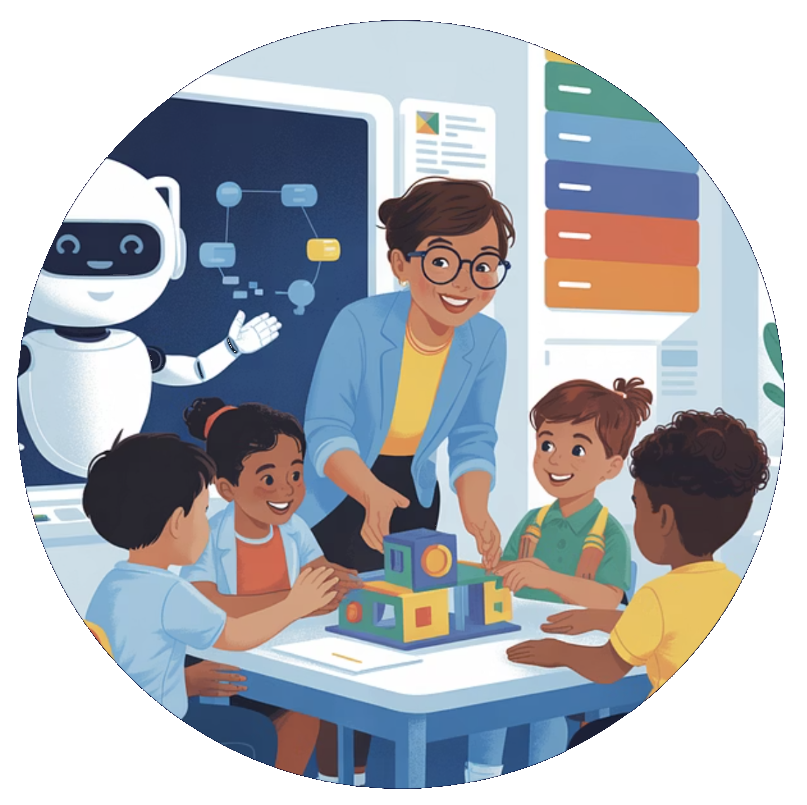
This hierarchical structure shows how we move from a very broad category (all animals) to a very specific one (Red Fox). Just like this animal taxonomy, other taxonomies organize information in a structured way.

Taxonomies provide structure by:

  • Improving Performance: Taxonomies help LLMs focus on specific areas, reducing the risk of generating incorrect or nonsensical information and improving the relevance of their output.
  • Facilitating Data Integration: Taxonomies can integrate data from various sources, providing LLMs with a more comprehensive and unified view of information. This is crucial for tasks that require broad knowledge and context.
  • Providing Contextual Understanding: Taxonomies offer a framework for understanding the relationships between concepts, enabling LLMs to generate more coherent and contextually appropriate responses.

Types of Taxonomies

There are several different types of taxonomies, each with its own strengths and weaknesses, and each relevant to how LLMs can work with data:

Hierarchical Taxonomies: Organize information in a tree-like structure, with broader categories at the top and more specific categories at the bottom. This is the most common type, often used in library classification or organizational charts. For LLMs, this provides a clear, nested structure that aids in understanding relationships and navigating data.

Faceted Taxonomies: Allow information to be categorized in multiple ways, enabling users to filter and refine their searches. Think of e-commerce product catalogs with filters for size, color, and price. This is particularly useful for LLMs that need to handle complex queries and provide highly specific results, as they can leverage multiple facets to refine their output.

Polyhierarchical Taxonomies: A type of hierarchical taxonomy where a concept can belong to multiple parent categories. For example, "tomato" could be classified under both "fruits" and "red foods." This allows LLMs to understand overlapping categories and handle ambiguity in classification.

Associative Taxonomies: Focus on relationships between concepts, rather than just hierarchical structures. For example, a taxonomy of "car" could include terms like "wheel," "engine," "road," and "transportation," highlighting the interconnectedness of these concepts. This helps LLMs understand the broader context and semantic relationships between terms, improving their ability to generate coherent and relevant responses.

Ultimately, the increasing reliance on LLM-generated content necessitates the implementation of well-defined taxonomies to unlock its full potential. The specific type of taxonomy may vary depending on the application, but the underlying principle remains: taxonomies are essential for enhancing the value and utility of LLM outputs.

LLMs and Internal Knowledge Representation

While we've discussed various types of external taxonomies, it's important to note that LLMs also develop their own internal representations of knowledge. These internal representations differ significantly from human-curated taxonomies and play a crucial role in how LLMs process information.

One way LLMs represent knowledge is through word vectors. These are numerical representations of words where words with similar meanings are located close to each other in a multi-dimensional space. For example, the relationship "king - man + woman = queen" can be captured through vector arithmetic, demonstrating how LLMs can represent semantic relationships.

alt text Ben Vierck, Word Vector Illustration, CC0 1.0

The word vector graph illustrates semantic relationships captured by LLMs using numerical representations of words. Each word is represented as a vector in a multi-dimensional space. In this example, the vectors for 'royal,' 'king,' and 'queen' originate at the coordinate (0,0), depicting their positions in this space. The vector labeled 'man' extends from the end of the 'royal' vector to the end of the 'king' vector, while the vector labeled 'woman' extends from the end of the 'royal' vector to the end of the 'queen' vector. This arrangement demonstrates how LLMs can represent semantic relationships such as 'king' being 'royal' plus 'man,' and 'queen' being 'royal' plus 'woman.' The spatial relationships between these vectors reflect the conceptual relationships between the words they represent.

However, these internal representations, unlike human-curated taxonomies, are:

  • Learned, Not Curated: Acquired through exposure to massive amounts of text data, rather than through a process of human design and refinement. This means the LLM infers relationships, rather than having them explicitly defined.
  • Unstructured: The relationships learned by LLMs may not always fit into a clear, hierarchical structure.
  • Context-Dependent: The meaning of a word or concept can vary depending on the surrounding text, making it difficult for LLMs to consistently apply a single, fixed categorization.
  • Incomplete: It's important to understand that LLMs don't know what they don't know. They might simply be missing knowledge of specific domains or specialized terminology that wasn't included in their training data.

This is where taxonomies become crucial. They provide an external, structured framework that can:

  • Constrain LLM Output: By mapping LLM output to a defined taxonomy, we can ensure that the information generated is consistent, accurate, and relevant to a specific domain.
  • Ground LLM Knowledge: Taxonomies can provide LLMs with access to authoritative, curated knowledge that may be missing from their training data.
  • Bridge the Gap: Taxonomies can bridge the gap between the unconstrained, often ambiguous language that humans use and the more structured, formal representations that LLMs can effectively process.

Taxonomies as Service Providers

Companies that specialize in creating and managing taxonomies and developing metadata schemas and ontologies to complement taxonomies are well-positioned to become key service providers in the LLM ecosystem. Their existing expertise in organizing information and structuring data makes them uniquely qualified to help businesses harness LLMs effectively.

For example, companies that specialize in organizing complex data for specific industries, such as healthcare or finance, often create proprietary systems to analyze and categorize information for their clients. In the healthcare sector, a company might create a proprietary methodology for evaluating healthcare plan value, categorizing patients based on risk factors and predicting healthcare outcomes. In the realm of workforce development, a company might develop a detailed taxonomy of job skills, enabling employers to evaluate their current workforce capabilities and identify skill gaps. This same taxonomy can also empower job seekers to understand the skills needed for emerging roles and navigate the path to acquiring them. These companies develop expertise in data acquisition, market understanding, and efficient data processing to deliver valuable insights.

Companies that specialize in creating and managing taxonomies are not only valuable for general LLM use but also for improving the effectiveness of Retrieval-Augmented Generation systems. RAG's limitations, such as retrieving irrelevant or ambiguous information, often stem from underlying data organization issues. Taxonomy providers can address these issues by creating robust knowledge bases, defining clear data structures, and adding rich metadata. This ensures that RAG systems can retrieve the most relevant and accurate information, thereby significantly enhancing the quality of LLM outputs. In essence, taxonomy experts can help businesses transform their RAG systems from potentially unreliable tools into highly effective knowledge engines.

Strategic Opportunities for Taxonomy Providers in the LLM Era

The rapid advancement and adoption of LLMs are driving an increase in demand for automated content generation. Businesses are increasingly looking to replace human roles with intelligent agents capable of handling various tasks, from customer service and marketing to data analysis and research. This drive towards agent-driven automation creates a fundamental need for well-structured data and robust taxonomies. Companies specializing in these areas are strategically positioned to capitalize on this demand.

Here's how taxonomy companies can leverage this market shift:

1. Capitalizing on the Content Generation Boom:

Demand-Driven Growth: The primary driver will be the sheer volume of content that businesses want to generate using LLMs and agents. Taxonomies are essential to ensure this content is organized, accurate, and aligned with specific business needs. Emphasize that the core opportunity lies in meeting this growing demand.

Agent-Centric Focus: Highlight that the demand is not just for general content but for content that powers intelligent agents. This requires taxonomies that are not just broad but highly specific and contextually rich.

2. Building Partnerships:

The surge in demand for LLM-powered applications and intelligent agents is creating a wave of new organizations focused on developing these solutions. Many of these companies will need specialized data, including job skills taxonomies, to power their agents effectively. This presents a unique opportunity for the job skills taxonomy provider to forge strategic partnerships.

Addressing the "Build vs. Buy" Decision: Many new agent builders will face the decision of whether to build their own skills taxonomy from scratch or partner with an existing provider. Given the rapid pace of LLM development and the complexity of creating and maintaining a robust taxonomy, partnering often proves to be the most efficient and cost-effective route. The taxonomy company can highlight the advantages of partnering:

  • Faster time to market
  • Higher quality data
  • Ongoing updates and maintenance

By targeting these emerging agent-building organizations, the job skills taxonomy company can capitalize on the growing demand for LLM-powered solutions and establish itself as a critical data provider in the evolving AI-driven workforce development landscape. This approach focuses on the new opportunities created by the LLM boom, rather than the existing operations of the taxonomy provider.

Seamless Integration via MCP: To further enhance the value proposition, taxonomy providers should consider surfacing their capabilities using the Model Context Protocol (MCP). MCP allows for standardized communication between different AI agents and systems, enabling seamless integration and interoperability. By making their taxonomies accessible via MCP, providers can ensure that agent builders can easily incorporate their data into their workflows, reducing friction and accelerating development.

3. Capitalizing on Existing Expertise as an Established Player:

Market Advantage: Emphasize that established taxonomy companies have a significant advantage due to their existing expertise, data assets, and client relationships. This position allows them to quickly adapt to the agent-driven market.

Economic Efficiency: Highlight the cost-effectiveness of using established taxonomy providers compared to building in-house solutions. Businesses looking to deploy agents quickly will likely prefer to partner with existing experts.

By focusing on the demand for content generation driven by the rise of intelligent agents and by targeting partnerships with agent-building organizations, taxonomy companies can position themselves for significant growth and success in this evolving market.

Why This Matters to You

We rely on AI more and more every day. From getting quick answers to complex research, we expect AI to provide us with accurate and reliable information. But what happens when the volume of information becomes overwhelming? What happens when AI systems need to sift through massive amounts of data to make critical decisions?

That's where organized data becomes vital. Imagine AI as a powerful detective tasked with solving a complex case. Without a well-organized case file (a robust taxonomy), the detective might get lost in a sea of clues, missing crucial details or drawing the wrong conclusions. But with a meticulously organized file, the detective can:

  • Quickly Identify Key Evidence: AI can pinpoint the most relevant and reliable information, even in a sea of data.
  • Connect the Dots: AI can understand the complex relationships between different pieces of information, revealing hidden patterns and insights.
  • Ensure a Clear Narrative: AI can present a coherent and accurate picture of the situation, avoiding confusion or misinterpretation.

In essence, the better the data is organized, the more effectively AI can serve as a reliable source of truth. It's about ensuring that AI doesn't just process information, but that it processes it in a way that promotes clarity, accuracy, and ultimately, a shared understanding of the world. This is why the role of taxonomies, ontologies, and metadata is so critical—they are the foundation for building AI systems that help us navigate an increasingly complex information landscape with confidence.

The Indispensable Role of Human Curation

While LLMs can be valuable tools in the taxonomy development process, they cannot fully replace human expertise (yet). Human curation is essential because taxonomies are ultimately designed for human consumption. Human curators can ensure that taxonomies are intuitive, user-friendly, and aligned with how people naturally search for and understand information. Human experts are needed not just for creating the taxonomy itself, but also for defining and maintaining the associated metadata and ontologies.

For example, imagine an LLM generating a taxonomy for a complex subject like "fine art." While it might group works by artist or period, a human curator would also consider factors like artistic movement, cultural significance, and thematic connections, creating a taxonomy that is more nuanced and useful for art historians, collectors, and enthusiasts.

alt text By Michelangelo, Public Domain, https://commons.wikimedia.org/w/index.php?curid=9097336

Developing a high-quality taxonomy often requires specialized knowledge of a particular subject area. Human experts can bring this knowledge to the process, ensuring that the taxonomy accurately reflects the complexities of the domain (for now).

Challenges and Opportunities

The rise of LLMs directly fuels the demand for sophisticated taxonomies. While LLMs can assist in generating content, taxonomies ensure that this content is organized, accessible, and contextually relevant. This dynamic creates both opportunities and challenges for taxonomy providers. The evolving nature of LLMs requires constant adaptation in taxonomy strategies, and the integration of metadata and ontologies becomes essential to maximize the utility of LLM-generated content. So, the expertise in developing and maintaining these taxonomies becomes a critical asset in the age of LLMs.

Enhanced Value Through Metadata and Ontologies

The value of taxonomies is significantly amplified when combined with robust metadata and ontologies. Metadata provides detailed descriptions and context, making taxonomies more searchable and understandable for LLMs. Ontologies, with their intricate relationships and defined properties, enable LLMs to grasp deeper contextual meanings and perform complex reasoning.

Metadata is data that describes other data. For example, the title, author, and publication date of a book are metadata. High-quality metadata, such as detailed descriptions, keywords, and classifications, makes taxonomies more easily searchable and understandable by both humans and machines, including LLMs. This rich descriptive information provides essential context that enhances the utility of the taxonomy.

Ontologies are related to taxonomies but go beyond simple hierarchical classification. While taxonomies primarily focus on organizing information into categories and subcategories, often representing "is-a" relationships (e.g., "A dog is a mammal"), ontologies provide a more detailed, formal, and expressive representation of knowledge. They define concepts, their properties, and the complex relationships between them. Ontologies answer questions like "What is this?", "What are its properties?", "How is it related to other things?", and "What can we infer from these relationships?"

Key Distinctions:

  • Relationship Types: Taxonomies mostly deal with hierarchical ("is-a") relationships. Ontologies handle many different types of relationships (e.g., causal, temporal, spatial, "part-of," "has-property").
  • Formality: Taxonomies can be informal and ad-hoc. Ontologies are more formal and often use standardized languages and logic (e.g., OWL - Web Ontology Language).
  • Expressiveness: Taxonomies are less expressive and can't represent complex rules or constraints. Ontologies are highly expressive and can represent complex knowledge and enable sophisticated reasoning.
  • Purpose: Taxonomies are primarily for organizing and categorizing. Ontologies are for representing knowledge, defining relationships, and enabling automated reasoning.

For instance, an ontology about products would not only categorize them (e.g., "electronics," "clothing") but also define properties like "manufacturer," "material," "weight," and "price," as well as relationships such as "is made of," "is sold by," and "is a component of." This rich, interconnected structure allows an LLM to understand not just the category of a product but also its attributes and how it relates to other products. This added layer of detail is what makes ontologies so valuable for LLMs, as they provide the deep, contextual understanding needed for complex reasoning and knowledge-based tasks. However, this level of detail also makes them more complex to develop and maintain, requiring specialized expertise and ongoing updates.

Therefore, companies that can integrate and provide these elements alongside taxonomies will offer a more compelling and valuable service in the LLM ecosystem. The combination of well-structured taxonomies, rich metadata, and detailed ontologies provides the necessary context and depth for LLMs to operate at their full potential.

Conclusion

The rise of LLMs is creating a classic supply and demand scenario. As more businesses adopt LLMs and techniques like RAG, the demand for structured data and the services of taxonomy providers will increase. However, it's crucial to recognize that the effectiveness of RAG hinges on high-quality data organization. Companies specializing in creating robust taxonomies, ontologies, and metadata are positioned to meet this demand by providing the essential foundation for successful RAG implementations. Their expertise ensures that LLMs and RAG systems can retrieve and utilize information effectively, making their services increasingly valuable for organizations looking to take advantage of LLM-generated content.

The AI-Driven Transformation of Software Development

1. Introduction: The Seismic Shift in Software Development

The software development landscape is undergoing a seismic shift, driven by the rapid advancement of artificial intelligence. This transformation transcends simple automation; it fundamentally alters how software is created, acquired, and utilized, leading to a re-evaluation of the traditional 'build versus buy' calculus. The pace of this transformation is likely to accelerate, making it crucial for businesses and individuals to stay adaptable and informed.

2. The Rise of AI-Powered Development Tools

For decades, the software industry has been shaped by a tension between bespoke, custom-built solutions and readily available commercial products. The complexity and cost associated with developing software tailored to specific needs often pushed businesses towards purchasing off-the-shelf solutions, even if those solutions weren't a perfect fit. This gave rise to the dominance of large software vendors and the Software-as-a-Service (SaaS) model. However, AI is poised to disrupt this paradigm.

Introduction to AI-Powered Automation

Large Language Models (LLMs) are revolutionizing software development by understanding natural language instructions and generating code snippets, functions, or even entire modules. Imagine describing a software feature in plain language and having an AI produce the initial code. Many are already using tools like ChatGPT in this way, coaching the AI, suggesting revisions, and identifying improvements before testing the output.

This is 'vibe coding,' where senior engineers guide LLMs with high-level intent rather than writing every line of code. While this provides a significant productivity boost—say, a 5x improvement—the true transformative potential lies in a one-to-many dynamic, where a single expert can exponentially amplify their impact by managing numerous AI agents simultaneously, each focused on different project aspects.

Expanding AI Applications in Development

Additionally, AI is being used for code review tools that can automatically identify potential issues and suggest improvements, and specific AI platforms offered by cloud providers like AWS CodeWhisperer and Google Cloud's AI Platform are providing comprehensive AI-driven development environments. AI is being used for AI-assisted testing and debugging, identifying potential bugs, suggesting fixes, and automating test cases.

Composable Architectures and Orchestration

Beyond code completion and generation, AI tools are also facilitating the development of reusable components and services. This move toward composable architectures allows developers to break down complex tasks into smaller, modular units. These units, powered by AI, can then be easily assembled and orchestrated to create larger applications, increasing efficiency and flexibility. Model Context Protocol (MCP) could play a role in standardizing the discovery and invocation of these services.

Furthermore, LLM workflow orchestration is also becoming more prevalent, where AI models can manage and coordinate the execution of these modular services. This allows for dynamic and adaptable workflows that can be quickly changed or updated as needed.

Human Role and Importance

However, it's crucial to recognize that AI is a tool. Humans will still be needed to guide its development, provide creative direction, and critically evaluate the AI-generated outputs. Human problem-solving skills and domain expertise remain essential for ensuring software quality and effectiveness.

Impact on Productivity and Innovation

These tools are not just incremental improvements; they have the potential to dramatically increase developer productivity, potentially enabling the same output with half the staff or even leading to a fivefold increase in efficiency in the near term, lower the barrier to entry for software creation, and enable the fast iteration of new features.

Impact on Offshoring

Furthermore, AI tools have the potential to level the playing field for offshore development teams. Traditionally, challenges such as time zone differences, communication barriers, and perceived differences in skill level have sometimes put offshore teams at a disadvantage. However, AI-powered development tools can mitigate these challenges:

  • Enhanced Productivity and Efficiency: AI tools can automate many tasks, allowing offshore teams to deliver faster and more efficiently, overcoming potential time zone delays.
  • Improved Code Quality and Consistency: AI-assisted code generation, review, and testing tools can ensure high code quality and consistency, regardless of the team's location.
  • Reduced Communication Barriers: AI-powered translation and documentation tools can facilitate clearer communication and knowledge sharing.
  • Access to Cutting-Edge Technology: With cloud-based AI tools, offshore teams can access the same advanced technology as onshore teams, eliminating the need for expensive local infrastructure.
  • Focus on Specialization: Offshore teams can specialize in specific AI-related tasks, such as AI model training, data annotation, or AI-driven testing, becoming highly competitive in these areas.

By embracing AI tools, offshore teams can overcome traditional barriers and compete on an equal footing with onshore teams, offering high-quality software development services at potentially lower costs. This could lead to a more globalized and competitive software development landscape.

3. The Explosion of New Software and Features

This evolution is leading to an explosion of new software products and features. Individuals and small teams can now bring their ideas to life with unprecedented speed and efficiency. This is made possible by AI tools that can quickly translate high-level descriptions into working code, allowing for quicker prototyping and development cycles.

Crucial to the effectiveness of these AI tools is the quality of their training data. High-quality, diverse datasets enable AI models to generate more accurate and robust code. This is particularly impactful in niche markets, where highly specialized software solutions, previously uneconomical to develop, are now becoming viable.

For instance, AI could revolutionize enterprise applications with greater automation and integration capabilities, lead to more personalized and intuitive consumer apps, accelerate scientific discoveries by automating data analysis and simulations, or make embedded systems more intelligent and adaptable.

Furthermore, AI can analyze user data to identify areas for improvement and drive innovation, making software more responsive to user needs. While AI automates many tasks, human creativity and critical thinking are still vital for defining the vision and goals of software projects.

It's important to consider the potential environmental impact of this increased software development, including the energy consumption of training and running AI models. However, AI-driven software also offers opportunities for more efficient resource management and sustainability in other sectors, such as optimizing supply chains or reducing energy waste.

Software will evolve at an unprecedented pace, with AI facilitating fast feature iteration, updates, and highly personalized user experiences. This surge in productivity will likely lead to an explosion of new software products, features, and niche applications, democratizing software creation and lowering the barrier to entry.

4. The Transformation of the Commercial Software Market

This evolution is reshaping the commercial software market. The proliferation of high-quality, AI-enhanced open-source alternatives is putting significant pressure on proprietary vendors. As companies find they can achieve their software needs through internal development or by leveraging robust open-source solutions, they are becoming more price-sensitive and demanding greater value from commercial offerings.

This is forcing vendors to innovate not only in terms of features but also in their business models, with a greater emphasis on value-added services such as consulting, support, and integration expertise. Strategic partnerships and collaboration with open-source communities will also become crucial for commercial vendors to remain competitive.

Commercial software vendors will need to adapt to this shift by offering their functionalities as discoverable services via protocols like MCP. Instead of selling large, complex products, they might provide specialized services that can be easily integrated into other applications. This could lead to new business models centered around providing best-in-class, composable AI capabilities.

Specifically, this shift is leading to changes in priorities and value perceptions. Commercial software vendors will likely need to shift their focus towards providing value-added services such as consulting, support, and integration expertise as open-source alternatives become more competitive. Companies may place a greater emphasis on software that can be easily customized and integrated with their existing systems, potentially leading to a demand for more flexible and modular solutions.

Furthermore, commercial vendors may need to explore strategic partnerships and collaborations with open-source communities to remain competitive and utilize the collective intelligence of the open-source ecosystem.

Overall, AI-driven development has the potential to transform the software landscape, creating a more level playing field for open-source projects and putting significant pressure on the traditional commercial software market. Companies will likely need to adapt their strategies and offerings to remain competitive in this evolving environment.

5. The Impact on the Open-Source Ecosystem

The open-source ecosystem is experiencing a significant transformation driven by AI. AI-powered tools are not only lowering the barriers to contribution, making it easier for developers to participate and contribute, but they are also fundamentally changing the competitive landscape.

Specifically, AI fuels the creation of more robust, feature-rich, and well-maintained open-source software, making these projects even more viable alternatives to commercial offerings. Businesses, especially those sensitive to cost, will have more compelling free options to consider. This acceleration is leading to faster feature parity, where AI could enable open-source projects to rapidly catch up to or even surpass the feature sets of commercial software in certain domains, further reducing the perceived value proposition of paid solutions.

Moreover, the ability for companies to customize open-source software using AI tools could eliminate the need for costly customization services offered by commercial vendors, potentially resulting in customization at zero cost. The agility and flexibility of open-source development, aided by AI, enable quick innovation and experimentation, allowing companies to try new features and technologies more quickly and potentially reducing their reliance on proprietary software that might not be able to keep pace.

AI tools can also help expose open-source components as discoverable services, making them even more accessible and reusable. This can further accelerate the development and adoption of open-source software, as companies can easily integrate these services into their own applications.

Furthermore, the vibrant and collaborative nature of open-source communities, combined with AI tools, provides companies with access to a vast pool of expertise and support at no additional cost. This is accelerating the development cycle, improving code quality, and fostering an even more collaborative and innovative environment. As open-source projects become more mature and feature-rich, they present an increasingly compelling alternative to commercial software, further fueling the shift away from traditional proprietary solutions.

6. The Changing "Build Versus Buy" Calculus

Ultimately, the rise of AI in software development is driving a fundamental shift in the "build versus buy" calculus. The rise of composable architectures means that 'building' now often entails assembling and orchestrating existing services, rather than developing everything from scratch. This dramatically lowers the barrier to entry and makes building tailored solutions even more cost-effective.

Companies are finding that building their own tailored solutions, often on cloud infrastructure, is becoming increasingly cost-effective and strategically advantageous. The ability for companies to customize open-source software using AI could eliminate the need for costly customization services offered by commercial vendors.

Innovation and experimentation in open-source, aided by AI, could further reduce reliance on proprietary software. Robotic Process Automation (RPA) bots can also be exposed as services via MCP, allowing companies to integrate automated tasks into their workflows more easily. This further enhances the 'build' option, as businesses can employ pre-built RPA services to automate repetitive processes.

7. Cloud vs. On-Premise: A Re-evaluation

The potential for AI-driven, easier on-premise app development could indeed have significant implications for the cloud versus on-premise landscape, potentially leading to a shift in reliance on big cloud applications like Salesforce.

There's potential for reduced reliance on big cloud apps. If AI tools drastically simplify and accelerate the development of custom on-premise applications, companies that previously opted for cloud solutions due to the complexity and cost of in-house development might reconsider. They could build tailored solutions that precisely meet their unique needs without the ongoing subscription costs and potential vendor lock-in associated with large cloud platforms.

Furthermore, for organizations with strict data sovereignty requirements, regulatory constraints, or internal policies favoring on-premise control, the ability to easily build and maintain their own applications could be a major advantage. They could retain complete control over their data and infrastructure, addressing concerns that might have pushed them towards cloud solutions despite these preferences.

While cloud platforms offer extensive customization, truly bespoke requirements or deep integration with legacy on-premise systems can sometimes be challenging or costly to achieve. AI-powered development could empower companies to build on-premise applications that seamlessly integrate with their existing infrastructure and are precisely tailored to their workflows.

Composable architectures can also make on-premise development more manageable. Instead of building large, monolithic applications, companies can assemble smaller, more manageable services. This can reduce the complexity of on-premise development and make it a more viable option.

Additionally, while the initial investment in on-premise infrastructure and development might still be significant, the elimination of recurring subscription fees for large cloud platforms could lead to lower total cost of ownership (TCO) over the long term, especially for organizations with stable and predictable needs.

Finally, some organizations have security concerns related to storing sensitive data in the cloud, even with robust security measures in place. The ability to develop and host applications on their own infrastructure might offer a greater sense of control and potentially address these concerns, even if the actual security posture depends heavily on their internal capabilities.

However, several factors might limit the shift away from big cloud apps:

The "As-a-Service" Value Proposition

Cloud platforms like Salesforce offer more than just the application itself. They provide a comprehensive suite of services, including infrastructure management, scalability, security updates, platform maintenance, and often a rich ecosystem of integrations and third-party apps. Building and maintaining all of this in-house, even with AI assistance, could still be a significant undertaking.

Moreover, major cloud vendors invest heavily in research and development, constantly adding new features and capabilities, often leveraging cutting-edge AI themselves. This pace of innovation in the cloud might be difficult for on-premise development, even with AI tools, to keep pace with.

Cloud platforms are inherently designed for scalability and elasticity, allowing businesses to easily adjust resources based on demand. Replicating this level of flexibility on-premise can be complex and expensive. Many companies prefer to focus on their core business activities rather than managing IT infrastructure and application development, even if AI makes it easier; the "as-a-service" model offloads this burden.

Large cloud platforms often have vibrant ecosystems of developers, partners, and a wealth of documentation and community support. Building an equivalent internal ecosystem for on-premise development could be challenging. Some advanced features, particularly those leveraging large-scale data analytics and AI capabilities offered by the cloud providers themselves, might be difficult or impossible to replicate effectively on-premise.

Cloud providers might also shift towards offering more granular, composable services that can be easily integrated into various applications. This would allow companies to leverage the cloud's scalability and infrastructure while still maintaining flexibility and control over their applications.

Therefore, a more likely scenario might be the rise of hybrid approaches, where companies use AI to build custom on-premise applications for specific, sensitive, or highly customized needs, while still relying on cloud platforms for other functions like CRM, marketing automation, and general productivity tools.

While the advent of AI tools that simplify on-premise application development could certainly empower more companies to build their own solutions and potentially reduce their reliance on monolithic cloud applications like Salesforce, a complete exodus is unlikely. The value proposition of cloud platforms extends beyond just the software itself to encompass infrastructure management, scalability, innovation, and ecosystem.

Companies will likely weigh the benefits of greater control and customization offered by on-premise solutions against the convenience, scalability, and breadth of services provided by the cloud. We might see a more fragmented landscape where companies strategically choose the deployment model that best fits their specific needs and capabilities.

8. The AI-Driven Software Revolution: A Summary

The integration of advanced AI into software development is poised to trigger a profound shift, fundamentally altering how software is created, acquired, and utilized. This shift is characterized by:

1. Exponential Increase in Productivity and Innovation:

AI as a Force Multiplier: AI tools are drastically increasing developer productivity, potentially enabling the same output with half the staff or even leading to a fivefold increase in efficiency in the near term.

Cambrian Explosion of Software: This surge in productivity will likely lead to an explosion of new software products, features, and niche applications, democratizing software creation and lowering the barrier to entry.

Rapid Iteration and Personalization: Software will evolve at an unprecedented pace, with AI facilitating fast feature iteration, updates, and highly personalized user experiences. This will often involve complex LLM workflow orchestration to manage and coordinate the various AI-driven processes.

This impact will be felt across various types of software, from enterprise solutions to consumer apps, scientific tools, and embedded systems. The effectiveness of these AI tools relies heavily on the quality of their training data, and the ability to analyze user data will drive further innovation and personalization.

We must also consider the sustainability implications, including the energy consumption of AI models and the potential for AI-driven software to promote resource efficiency in other sectors. These changes are not static; they are part of a dynamic and rapidly evolving landscape. Tools like GitHub Copilot and AWS CodeWhisperer are already demonstrating the power of AI in modern development workflows.

2. Transformation of the Software Development Landscape:

Evolving Roles: The traditional role of a "coder" will diminish, with remaining developers focusing on AI prompt engineering, system architecture, including the design and management of complex LLM workflow orchestration, integration, service orchestration, MCP management, quality assurance, and ethical considerations.

This shift is particularly evident in the rise of vibe coding. More significantly, we're moving towards a one-to-many model where a single subject matter expert (SME) or senior engineer will manage and direct many LLM coding agents, each working on different parts of a project. This orchestration of AI agents will dramatically amplify the impact of senior engineers, allowing them to oversee and guide complex projects with unprecedented efficiency.

AI-Native Companies: New companies built around AI-driven development processes will emerge, potentially disrupting established software giants.

Democratization of Creation: Individuals in non-technical roles will become "citizen developers," creating and customizing software with AI assistance.

3. Broader Economic and Societal Impacts:

Automation Across Industries: The ease of creating custom software will accelerate automation in all sectors, leading to increased productivity but also potential job displacement.

Lower Software Costs: Development cost reductions will translate to lower software prices, making powerful tools more accessible.

New Business Models: New ways to monetize software will emerge, such as LLM features, data analytics, integration services, and specialized composable services offered via MCP.

Workforce Transformation: Educational institutions will need to adapt to train a workforce for skills like AI ethics, prompt engineering, and high-level system design.

Ethical and Security Concerns: Increased reliance on AI raises ethical concerns about bias, privacy, and security vulnerabilities. This includes the challenges of handling sensitive data when using AI tools.

4. Implications for Purchasing Software Today:

Short-Term vs. Long-Term: Businesses must balance immediate needs with the potential for cheaper and better AI-driven alternatives in the future.

Flexibility and Scalability: Prioritizing flexible, scalable, and cloud-based solutions is crucial.

Avoiding Lock-In: Companies should be cautious about long-term contracts and proprietary solutions that might become outdated quickly.

5. Google Firebase Studio as an Example:

AI-Powered Development: Firebase Studio's integration of Gemini and AI agents for prototyping, feature development, and code assistance exemplifies the trend towards AI-driven development environments.

Rapid Prototyping and Iteration: The ability to create functional prototypes from prompts and iterate quickly with AI support validates the potential for an explosion of new software offerings.

In essence, the AI-driven software revolution represents a fundamental shift in the "build versus buy" calculus, empowering businesses and individuals to create tailored solutions more efficiently and affordably. While challenges exist, the long-term trend points towards a more open, flexible, and dynamic software ecosystem. It's important to remember that AI is a tool that amplifies human capabilities, and human ingenuity will remain at the core of software innovation.

9. Conclusion: A More Open and Dynamic Software Ecosystem

In conclusion, the advancements in AI are ushering in an era of unprecedented change in software development. This transformation promises to democratize software creation, accelerate innovation, and empower businesses to build highly customized solutions. While challenges remain, the long-term trend suggests a move towards a more open, composable, flexible, and user-centric software ecosystem, increasingly driven by discoverable services. Furthermore, the pace of these changes is likely to accelerate, making adaptability and continuous learning crucial for both businesses and individuals.